

Quick answer:
Order tracking is not just a logistics update. It is the primary post-purchase touchpoint your brand controls between checkout and delivery. Brands that replace generic carrier tracking links with branded tracking pages and event-triggered notifications reduce order status inquiries by up to 72%, not by improving carrier performance, but by closing the communication gap that exists between every carrier scan event and your customer’s inbox.
Most CX teams tracking their support ticket breakdown identify delivery-status inquiries as a top-three category. What fewer teams realize is that a significant portion of those tickets are coming in on shipments that are on time. Not delayed. Not lost. On track, and still generating contacts because the brand’s post-ship communication went silent after the dispatch email.
This is the pattern we see consistently across brands using OneTrack: the ticket volume problem is not a carrier performance problem. It is a notification gap problem. And notification gaps are entirely within the brand’s control to close.
This post breaks down how branded order tracking and proactive notifications work as a CX strategy, why carrier tracking pages structurally cannot solve the problem, and what the actual mechanics look like across the shipment journey.
What order tracking actually means for your support team
Order tracking is the system through which customers follow a shipment from dispatch to delivery. For most brands, it’s two things running in parallel: a tracking page customers land on when they want an update and the notifications the brand pushes proactively before customers think to look.
When both are working, the customer never needs to contact support for a delivery status update. When either is broken or incomplete, support tickets fill the gap.
The gap is almost always in the same place: the time between a carrier scan event happening and the customer hearing about it. That window can be 30 minutes or three days, depending on the brand’s notification infrastructure. Every hour a customer goes without an update on a shipment they are actively thinking about is an hour that a ticket is forming.
What does order tracking mean vs. shipment tracking?
Shipment tracking is the carrier-level record: scan events at pickup, sortation, regional hub, out-for-delivery, and delivered. Order tracking is the broader customer experience of following their purchase, including pre-shipment milestones like ‘order received’ and ‘dispatched from warehouse’ that have nothing to do with carrier data.
This distinction matters operationally. A significant share of order status contacts happen in the pre-carrier window, before the carrier has anything to report. Brands that cover this window with warehouse-generated status updates (“your order is being prepared,” “your order has left our fulfillment center”) remove one of the highest-frequency inquiry triggers without touching carrier integration at all.
Why carrier tracking pages cannot solve an order status inquiry problem
Sending customers to a carrier tracking page after dispatch is the default. It is also structurally inadequate as a CX strategy for five reasons that are not about the carrier’s technical capabilities.
- Brand context is absent. The customer is looking at UPS or FedEx, not your brand. The anxiety the customer feels about their delivery has no brand voice to reassure them, so they contact you instead.
- Delivery estimate quality is static. The EDD shown is based on carrier SLA assumptions, not live data, and does not update dynamically as the package moves. Customers seeing an EDD, they were told at checkout that it drifted without explanation contacts support to understand why.
- Proactive communication does not exist. The carrier page only responds to the customer visiting it. The customer must remember to check. If they forget, and the delivery date passes, you get the ticket.
- Exception visibility comes too late. A ‘delivery exception’ status shows up on the carrier page after the carrier logs it, with no context or explanation. No accompanying message means a status change generates panicked contacts.
- Last-mile data is inconsistent by carrier. Many carriers go silent between the sortation scan and delivery, a window that can stretch to eight hours. An 8-hour last-mile silence during a same-day expected delivery generates disproportionate same-day inquiry volume.
None of these are things the carrier can fix for your brand. They are the structural result of sending customers into a system designed to track packages, not to manage a post-purchase relationship.
What a branded tracking page actually changes
A branded tracking page embedded on your domain is not a cosmetic upgrade. This changes the functional relationship between the customer and their shipment status in ways that directly affect how many of them contact support.
| Carrier tracking page | Branded tracking page |
|---|---|
|
Customer leaves your site to check status |
Stays on your domain; the experience stays branded |
|
Static EDD based on service level, not live data |
Dynamic delivery estimate updated as the package moves through carrier facilities |
|
No context for last-mile gaps by carrier |
Carrier-specific messaging explains tracking silence (“Your package is out for delivery. Updates may be limited in this final stage.”) |
|
No cross-sell or retention module |
Branded space for product recommendations, loyalty prompts, or review requests |
|
No proactive exception communication |
Exception detection triggers a customer notification and a simultaneous internal CX team alert |
|
No unified view across multiple carriers |
Multiple carriers feeding into a single customer-facing view, regardless of fulfillment mix |
The last row is worth a separate point. Brands running multiple carriers – UPS for domestic, DHL for international, and regional carriers for specific zones, have customers landing on different carrier pages with different data quality, different interfaces, and different levels of last-mile visibility. A branded tracking page unifies all of that into a single, consistent experience that the customer always knows how to find.
The notification strategy that actually reduces order status inquiries
Not all notifications reduce ticket volume equally. The specific events you notify them on, and the timing relative to those events, determine whether you are genuinely eliminating the customer’s reason to contact you or just adding noise to their inbox.
The distinction that matters most is event-triggered versus interval-triggered. Most post-purchase email sequences are built on day-based logic: send an email on day 2, send a follow-up on day 4. That logic does not align with what the customer is thinking about. The customer is thinking about their delivery when the expected delivery date approaches, when the delivery date passes, and when anything changes. None of those moments is predictable from a day-based schedule.
Event-triggered notifications fire when something happens in the carrier network. They reach the customer with information they could not have found by checking on their own, because the event just occurred.
The five notification events with the highest ticket-suppression value
Based on where contact volume concentrates across the OneTrack install base, these five trigger events drive the most reduction in delivery-related contacts:
- Dispatched from warehouse (pre-carrier pickup) – Closes the post-ship silence window.
- Carrier pickup confirmed – First real carrier scan. Eliminates the ‘it says shipped but the carrier has no record’ category of contacts.
- Out for delivery – Highest single-event impact on same-day inquiry volume. Customers who receive this notification rarely contact support on the same day.
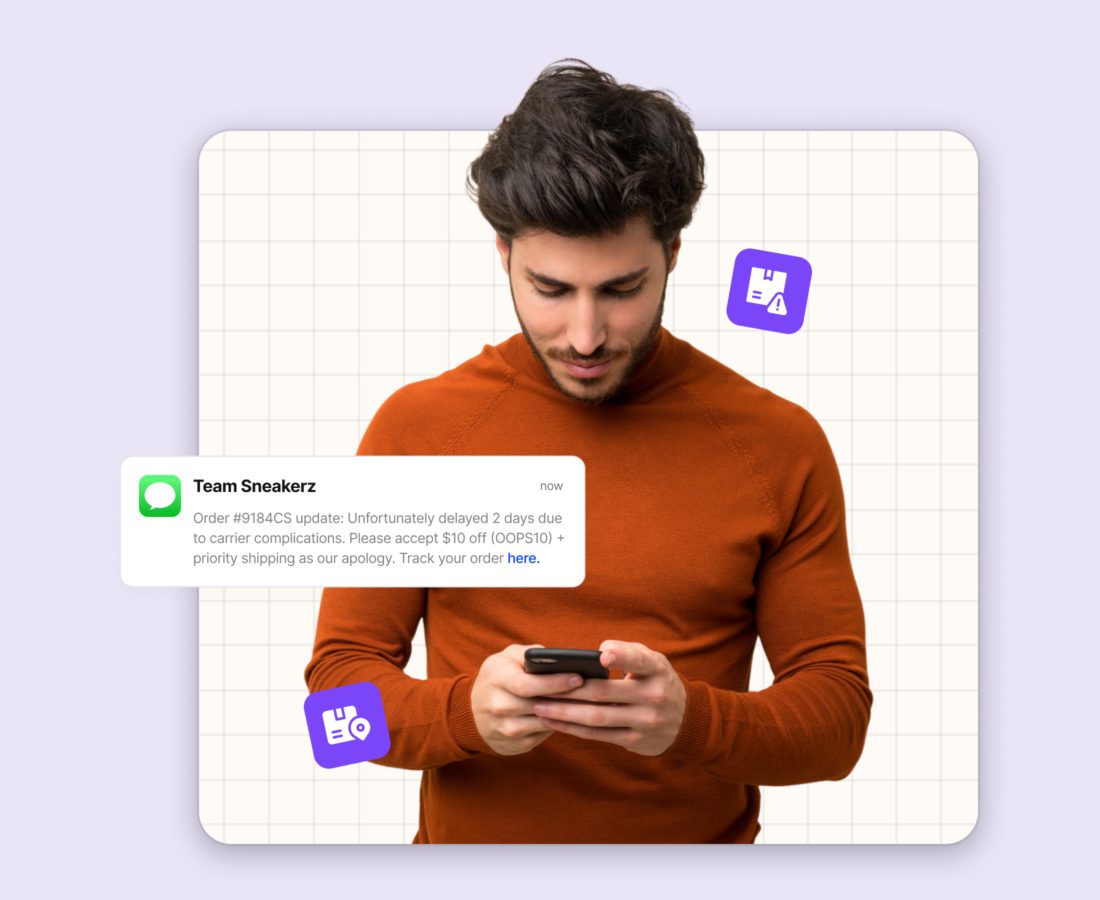
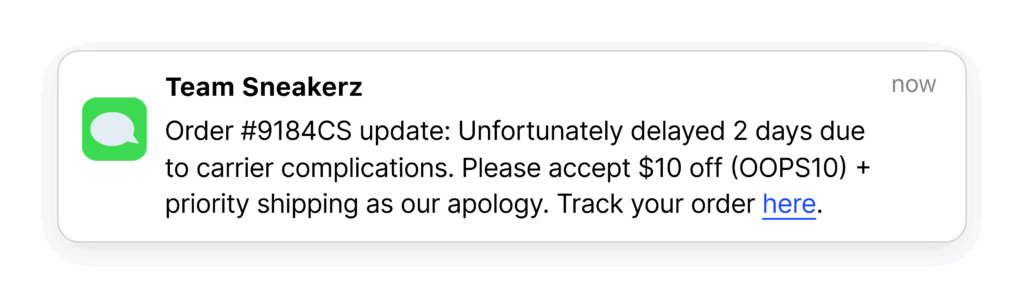
- Delivery exception detected – The most important notification most brands are not sending. Getting ahead of a delay before the customer notices converts what would be an inbound contact into a managed expectation.
- Delivered with next-step prompt – Closes the loop on the delivery and creates the next engagement moment -review request, repurchase prompt, or loyalty program touchpoint.
Exception notifications: the one most brands get wrong
A delivery exception — carrier scan event indicating a delay, failed delivery attempt, or routing issue — is the moment most brands go silent and most customers start drafting a support ticket.
The brands using OneTrack with the lowest exception-related ticket rates do two things differently. First, they send the exception notification to the customer immediately when OneTrack’s predictive incident detection flags the shipment, not after the customer notices the EDD has passed. Second, they configure a simultaneous internal alert to the CX team so that when the customer does contact support (some will, regardless of the notification), the agent already has context and a resolution path loaded.
A customer who receives a delay notification before they notice the delay and then receives a resolution offer will almost always rate the experience positively. The same delay communicated only after the customer contacts support consistently produces the opposite outcome.
Last mile tracking: why this is where most delivery experiences break
Last mile tracking, the segment from local sortation or distribution center to the customer’s door, is the most-anxiety-inducing part of the delivery journey and the one with the most variable data quality across carriers.
The anxiety comes from the timing. Customers expecting same-day delivery are checking their tracking page in 30-minute intervals from mid-morning. If the carrier’s last update was a regional hub scan at 6 AM and it is now 2 PM, the customer sees ‘in transit’ with no movement. On the carrier page, there is no explanation for this. On a branded tracking page or shipping notification built with carrier-specific last-mile context, there is.
How LateShipment.com closes the order tracking gap
The five structural limitations of carrier tracking pages are not limitations of carrier technology. There are limitations to the carrier’s role. A carrier’s job is to move packages. A brand’s job is to maintain a relationship with the customer during the delivery phase. Those are two different problems, and they require two different solutions.
OneTrack by LateShipment.com solves the brand’s problem. It aggregates tracking data from 1,200+ carriers into a single branded tracking page on your domain. You configure event-triggered notifications that fire when carrier scans occur, not on a daily schedule. It maps last-mile data quality by carrier and region so you can surface carrier-specific context on your tracking page, converting an 8-hour silence from a ticket trigger into a managed expectation. It detects delivery exceptions in real time and triggers simultaneous notifications to the customer and your CX team so both sides have context the moment the problem emerges.
The results are measurable. Brands using OneTrack reduce order status inquiries by up to 72%, not by improving carrier performance, but by closing the notification gap that sits between every carrier scan event and your customer’s inbox.
The setup does not require a multi-quarter engineering project. OneTrack provides embeddable branded tracking pages and event-triggered notification logic that connects to your existing fulfillment stack. You move from generic carrier tracking links to fully branded, fully proactive order tracking in weeks, not months.
Delivery is the moment when customer anxiety peaks and support ticket volume spikes. It is also the moment when a brand has complete control over the post-purchase experience. OneTrack gives you the tools to exercise that control.