

Quick answer:
Shopify has built-in returns management tools that handle basic return requests and refunds. For merchants shipping more than 50-100 returns per month, a dedicated returns app is almost always necessary to automate label generation, enforce return policies, send status notifications, and retain revenue through exchange-first flows. LateShipment.com’s OneReturn integrates natively with Shopify and handles the full returns workflow: self-serve portal, policy automation, multi-carrier label generation, and real-time return tracking.
Key Takeaways
- Shopify’s built-in returns are functional, not automated: Shopify lets you initiate returns, create return labels, and issue refunds from the admin panel. What it does not do: automate policy enforcement, send proactive return status notifications, route returns to multiple warehouses, or push customers toward exchanges instead of refunds.
- The threshold for needing an app: If you are handling fewer than 20-30 returns per month manually, Shopify’s native tools are probably fine. Above 50 returns per month, the manual work becomes a significant operational drag and a dedicated app pays for itself quickly.
- Exchange-first is the biggest lever: Most Shopify merchants default to refunds because that is what the native flow makes easiest. Dedicated returns apps: especially LateShipment.com: present exchange options before processing refunds. Merchants who make this shift typically retain 30-40% of revenue that would otherwise be refunded.
- What Shopify merchants care about most: Branded experience (the returns portal looks like their store), ease of setup (no developer required), and customer self-service (customers can initiate and track without contacting support). All three are table stakes for any serious Shopify returns app.
- Integration depth matters: The best Shopify returns apps connect to your carrier accounts for real label generation, sync return status back to your Shopify orders, and integrate with your helpdesk so support agents see the full return context.
Shopify powers over 5.6 million online stores across the globe. In North America, it owns close to 30% of the e-commerce platform market. It’s trusted not just for building storefronts but for supporting everything that happens after a sale: shipping, fulfillment, and, yes, returns.
Now, here’s the reality: Returns are part of doing business online. It doesn’t matter where you sell or how you ship. Customers will send things back. What makes the difference is how you handle those returns. A slow, clunky process that leaves buyers waiting for labels or wondering where their refund is? That’s where you start losing trust and repeat business.
What sets Shopify apart is how it handles that process. You get built-in tools to manage returns, send labels, issue refunds, and restock inventory, all from one place. No patchy workflows. No unnecessary delays.
In this article, we’ll walk you through Shopify returns management: what it offers, how to make the most of it, and what best practices can help you reduce friction and keep customers coming back.
Understanding Returns Management
Returns management is the entire process of handling product returns once customers decide to send items back. It involves everything from creating return requests to receiving the product and issuing refunds or replacements. When you set up returns well, it reduces friction for your customers and protects your margins.
Here’s what returns management typically covers:
- Return request and approval flow
- Return shipping and label generation
- Inventory tracking for returned items
- Refund processing and customer notifications
- Reporting and performance tracking
- Return reasons and insights collection
The returns management process usually begins when a customer initiates a return request, either through your website or by contacting your team. You then assess the request based on your Shopify return policy. If it qualifies, you approve the return and send shipping instructions. Once the item comes back, you inspect it and either restock, discard, or refurbish it. Finally, you issue a refund or ship a replacement.
From the customer’s perspective, this process needs to feel smooth and transparent. They want quick answers, clear instructions, and a fast resolution. When the backend workflows are tight, you deliver exactly that without slowing down operations or stretching your team too thin.
But that doesn’t mean you avoid returns entirely as product returns are inevitable in eCommerce, particularly when you leverage free returns to acquire customers, and even the best businesses out there struggle to build a frictionless and profitable returns strategy.
Therefore, preparing your Shopify store to provide a seamless returns experience is key to your store’s success as it holds incredible power to improve your retention and repeat purchase rates.
Let’s see how Shopify users can manage and redefine their returns as a driver of growth.
How Shopify's Built-In Returns Tools Work
Shopify provides basic returns management functionality natively. Here is what it covers and where it stops:
What Shopify Native Returns Include
- Create return requests from the Orders admin panel for any fulfilled order
- Generate return shipping labels using Shopify Shipping (where available) or carrier-calculated rates
- Issue full or partial refunds directly from the order page
- Restock returned items to inventory automatically or manually
- Track return shipments using Shopify’s order tracking
What Shopify Native Returns Do Not Include
- A self-serve customer returns portal: customers must contact you to initiate a return
- Automated return policy enforcement: no automatic blocking of out-of-window returns or non-returnable items
- Proactive return status notifications: customers must check manually
- Exchange-first flows: the default is always refund
- Multi-warehouse return routing rules
- Returns analytics: no native reporting on return rates, return reasons, or resolution times
- Automated label cancellation for unused labels
For merchants early in growth, these limitations are manageable. For merchants processing 50+ returns per month, each of these gaps adds labor, adds customer friction, or costs revenue.
When to Use a Dedicated Shopify Returns App
Use Shopify’s native tools if you are handling fewer than 30 returns per month and have a small team. Move to a dedicated app when any of these conditions apply:
- Customers are emailing to initiate returns: each email is 10-15 minutes of team time
- Your support team is spending more than 2-3 hours per week on return-related tickets
- You are losing track of which returns have been received and which are still in transit
- You have no visibility into why customers are returning products
- You are refunding every return instead of offering exchanges
Best Shopify Returns Apps Compared
| App | Self-Serve Portal | Exchange-First | Policy Automation | Multi-Carrier Labels | Analytics | Best For |
|---|---|---|---|---|---|---|
|
LateShipment.com OneReturn |
Yes (fully branded) |
Yes (incentivized) |
Yes (rules engine) |
Yes (1,200+ carriers) |
Yes (full dashboard) |
Mid-market to enterprise Shopify stores |
|
Loop Returns |
Yes |
Yes (core strength) |
Yes |
Yes |
Yes |
DTC Shopify brands, apparel, exchange-heavy |
|
AfterShip Returns |
Yes |
Yes |
Yes |
Yes |
Yes |
Shopify + multi-platform brands |
|
Narvar |
Yes |
Yes |
Yes |
Limited |
Yes |
Enterprise/large Shopify brands |
|
Returnly |
Yes |
Yes |
Limited |
Yes |
Limited |
North American Shopify + Shopify Plus |
|
ReturnGO |
Yes |
Yes |
Yes(fruad focus) |
Yes |
Yes |
Fraud prevention priority |
LateShipment.com OneReturn for Shopify
LateShipment.com is a returns experience management platform that helps you deliver a smooth, branded, and fully automated returns process. It integrates with your Shopify store and replaces scattered workflows with a clean, end-to-end system. You get full visibility over returns, better control over refund timelines, and a smoother experience for your customers.
Here is what Shopify merchants specifically get with OneReturn:
Branded Self-Serve Returns Portal
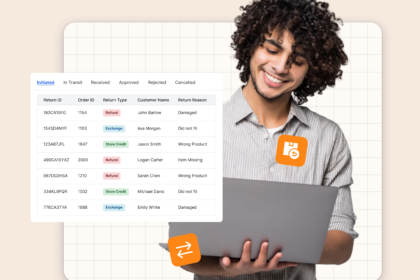
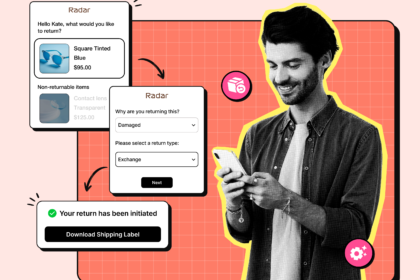
Customers initiate returns directly from your Shopify store through a portal that looks and feels like your brand. No email required. No contacting support. They choose the item, select a return reason, and receive a prepaid label instantly. The portal enforces your return policy automatically: return windows, non-returnable items, condition requirements: so your team does not need to manually review every request.
Return Shipping Label Generation
LateShipment.com integrates with major carriers to automatically generate and send prepaid return labels. This removes the friction of back-and-forth communication and means customers know exactly how to send items back.
Real-Time Return Tracking
Once a customer ships the item, both you and the customer can track the return in real time. The app also sends proactive updates, so no one is left wondering where the return is or when the refund will be processed.
Exchange-First Workflow
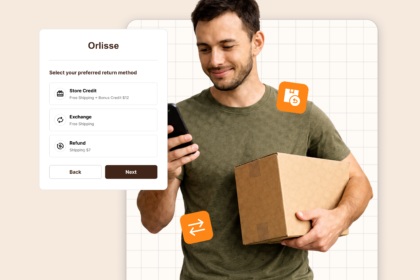
Instead of defaulting to a refund, OneReturn presents exchange options first: different size, color, or alternative product: before processing the return. For Shopify merchants in apparel, footwear, or any size-variable category, this is the highest-ROI feature available. LateShipment.com merchants convert up to 40% of return requests into exchanges.
Returns Analytics Dashboard
The dashboard gives you insights into why returns happen, which products are returned most often, and how long the process takes. These insights help you optimize your inventory, improve product listings, and shape a smarter return policy.
Book a free demo and product tour: lateshipment.com/product-tour/returns-experience-management/
Shopify Returns Management Best Practices
Set up your return policy before you set up your returns process
Your returns portal enforces whatever policy you configure. If you have not thought through your return windows, non-returnable items, and exchange options, you will configure a portal that creates more edge cases than it solves.
See the full return policy guide: lateshipment.com/blog/return-policy/
Make your returns portal accessible from everywhere
Link to your returns portal from: the order confirmation email, your shipping notification email, your store footer, and your FAQ page. Customers who cannot find the returns process contact support instead. Every easy-to-find link is a support ticket prevented.
Push exchanges before refunds
Configure your returns flow to present exchange options as the default action before refunds. Add a small incentive: free shipping on the exchanged order, or a small discount: to make the exchange more compelling. For Shopify stores, this single change in workflow can shift 30-40% of refund requests to exchanges.
Track return reasons, not just return rates
Return rate tells you how often customers return. Return reasons tell you why: and why is where the actionable insights are. If 30% of returns for a specific product list ‘not as described’ as the reason, that is a product page problem. If 40% list ‘wrong size,’ that is a sizing guide problem. Neither is visible from return rate alone.
Utilizing Shopify Apps for Enhanced Returns Management
Shopify gives you the core tools to handle returns, but if you’re looking to simplify your workflow, speed up processing, and improve the customer experience, apps can take you much further.
Here are the best apps to improve automation visibility and adopt a customer-first approach:
1. LateShipment.com
LateShipment.com is a returns experience management platform that helps you deliver a seamless, branded, and fully automated returns process. It integrates with your Shopify store and replaces scattered workflows with a clean, end-to-end system. You get full visibility over returns, better control over refund timelines, and a smoother experience for your customers.
- Branded returns portal: With LateShipment.com, you can set up a fully customizable, self-serve returns portal that reflects your store’s branding. Customers can initiate returns on their own without ever leaving your site, which keeps the experience consistent and trustworthy.
- Auto-approval workflows: You can configure return rules based on product type, customer history, or order value. This allows the system to auto-approve qualifying returns without manual review, saving your team hours every week and speeding up the process for your customers.
- Return shipping label generation: LateShipment.com integrates with major carriers to automatically generate and send prepaid return labels. This removes the friction of back-and-forth communication and ensures customers know exactly how to send items back.
- Real-time return tracking: Once a customer ships the item, both you and the customer can track the return in real time. The app also sends proactive updates, so no one’s left wondering where the return is or when the refund will be processed.
- Returns analytics dashboard: The dashboard gives you insights into why returns happen, which products are returned most often, and how long the process takes. These insights help you optimize your inventory, improve product listings, and shape a smarter return policy.
2. AfterShip Returns Center
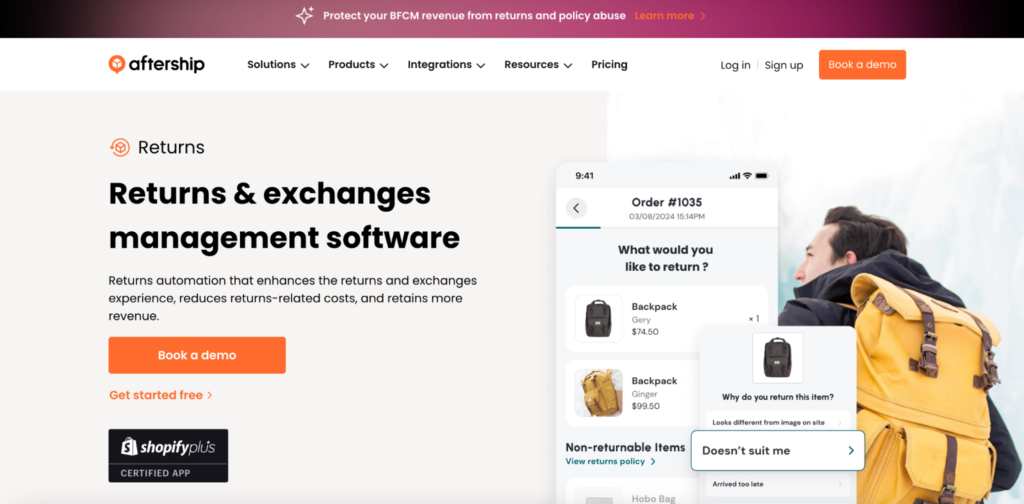
AfterShip Returns Center is a popular returns app that adds automation, branding, and tracking to your returns process. It’s built to help you reduce support requests and offer a more polished experience through a centralized dashboard.
You can create a return portal where customers enter their order number and select return reasons. It’s mobile-friendly and brandable and supports multiple return methods, like refunds or exchanges.
For returns on Shopify, AfterShip makes it easy to create a self-serve flow that cuts down on tickets and improves customer satisfaction, especially for growing stores with frequent return activity.
3. Loop Returns
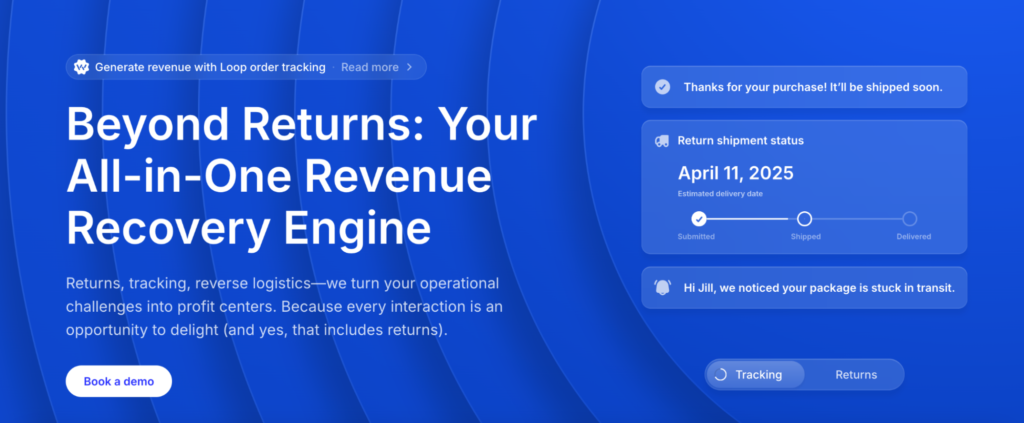
Loop Returns is built for brands that want to offer exchanges, not just refunds. It focuses on keeping revenue in your store by guiding customers toward replacements instead of cancellations.
Instead of pushing customers toward refunds, Loop nudges them to choose an exchange. They can even shop for other items directly in the return portal, which turns a return into a new sale.
Loop is useful for Shopify brands that care about customer retention and want to reduce refund rates without friction.
Better Customer Experience with LateShipment.com
Shopify sets a strong foundation for customer experience, especially with its clean interface, built-in features, and flexibility. That’s why so many eCommerce brands trust it to power their online stores. From product discovery to checkout, it keeps the buying experience smooth.
Still, things don’t always go as planned. Shipments get delayed, packages go missing, and return requests pile up. That’s where having a purpose-built post-purchase platform like LateShipment.com makes all the difference. It helps close the gap between what customers expect and what logistics deliver.
The platform manages every part of the post-purchase journey, from delivery to returns. It offers branded shipping notifications, predictive incident alerts, and order tracking pages that reflect your brand. Smart features like estimated delivery dates, product recommendations, and fulfillment analytics help turn shipping into a retention channel, not a liability.
On the returns side, LateShipment.com gives you a self-serve portal, branded return notifications, smart workflows, and returns intelligence. It brings automation, speed, and clarity to what is often a messy process.
Book a free demo and product tour to see how it transforms the post-purchase experience and strengthens customer loyalty.
FAQs about Shopify Returns Management
Does Shopify have built-in returns management?
Yes. Shopify allows merchants to initiate returns, generate return labels, issue refunds, and restock inventory from the admin panel. What it does not include is a self-serve customer returns portal, automated policy enforcement, exchange-first workflows, proactive return notifications, or returns analytics. For merchants processing significant return volumes, a dedicated Shopify returns app fills these gaps.
What is the best returns app for Shopify?
LateShipment.com’s OneReturn is the strongest option for Shopify merchants who want a complete returns automation solution: branded self-serve portal, exchange-first workflows, multi-carrier label generation, policy automation, and full analytics. Loop Returns is the strongest option for DTC Shopify brands with high exchange volumes in size-variable categories. AfterShip Returns is a good option for multi-platform merchants who also use AfterShip for shipment tracking.
How do I set up a self-serve returns portal on Shopify?
Shopify does not offer a native self-serve returns portal for customers. You need a returns app. With LateShipment.com, setup takes under 30 minutes: connect your Shopify store, configure your return policy rules, brand the portal with your logo and colors, and activate customer notifications. The portal is then accessible from your storefront: no developer required.
How can I reduce returns on Shopify?
The four highest-impact levers are: improve product descriptions and sizing guides (reduces ‘not as described’ and ‘wrong size’ returns), add product reviews with photos (reduces expectation gaps), implement exchange-first flows (converts returns into retained revenue), and use returns analytics to identify high-return products for product improvement.
Related Readings
Monthly Newsletter
Get practical solutions and insights to tackle real-world post-purchase challenges directly in your inbox