

Quick Answer: What shipping notifications should every e-commerce brand be sending?
Every e-commerce brand should send 15 core shipping notifications across the delivery and returns journey: from order shipped and out for delivery, through delay predicted and failed delivery, to returns approved and returns received. The brands that do this well go a step further — they send proactive delay alerts before the customer notices a problem, trigger real-time shipment status notifications via both email and SMS, and route every tracking touchpoint through a branded tracking page rather than the carrier’s generic portal. LateShipment.com’s OneTrack automates this entire notification stack, reducing WISMO (Where Is My Order?) support tickets by 72% and delivering a 6x increase in post-purchase engagement.
Key Takeaways
- WISMO (Where Is My Order?) is the single most common post-purchase support ticket category for e-commerce brands. Proactive shipping notifications are the most direct way to reduce that ticket volume without adding headcount.
- Reactive notifications (triggered after a customer asks) cost your support team time and damage CSAT. Proactive notifications (triggered before the customer notices) build trust and reduce contact rates.
- Delay predicted notifications — sent before a shipment is officially late — are the most underused touchpoint in most brands’ post-purchase communication stack.
- OneTrack by LateShipment.com automates proactive delivery notifications via email and SMS across 1,000+ carriers, reducing WISMO tickets by 72% and driving a 6x increase in post-purchase engagement.
- Branded order tracking emails and SMS alerts that keep customers on your domain — not the carrier’s portal — are a CX and retention play, not just a logistics one.
Today’s customers are no longer just interested in shopping with you and collecting their orders after simply waiting for them. They expect you to engage with them throughout the order delivery lifecycle via transactional shipping notifications.
However, if you’re anything like most e-commerce businesses, you are unwillingly neglecting the post-purchase, creating a big post-purchase CX gap that shows up directly in your support ticket volume.
The fix is straightforward — exceed your customers’ expectations by sending the right shipping notifications at every step of the delivery journey, automatically, before they ever have to ask. There are 15 such critical notifications every e-commerce brand should be sending.
Let’s look at what they are, why they matter for your CX team, and how to automate the entire stack.
The WISMO Problem: Why Your Shipping Notifications Are Your Support Team's Most Powerful Tool
WISMO — Where Is My Order — is not just an annoyance. It’s a measurable drain on your support team’s capacity, and it’s almost entirely preventable with the right automated shipping notification setup.
The numbers make the problem concrete:
- Up to 40% of all inbound support tickets in e-commerce are WISMO-related. For brands shipping at scale during peak periods, that number can exceed 50%.
- Each WISMO ticket costs time — average handle time for a shipping inquiry is 5-10 minutes per contact, multiplied across thousands of tickets per month.
- Customers who receive no proactive notification about a delay and find out from the carrier first give significantly lower CSAT and NPS scores than customers who were informed proactively, even when the delay was identical.
- 72% reduction in WISMO support tickets is what LateShipment.com customers see after deploying OneTrack’s proactive notification automation.
The root cause is almost always the same: brands are reactive, not proactive. They send an order confirmation, then go silent until the package arrives — or doesn’t. Everything in between is a black box for the customer, which generates anxiety, which generates WISMO tickets.
A proactive shipping notification stack closes that black box. It tells the customer what’s happening at every stage, including — critically — when something goes wrong, before they email you to ask.
Proactive vs. Reactive Shipping Notifications: The Distinction That Defines CX Teams
Before walking through the 15 notifications, it’s worth clarifying the distinction between reactive and proactive delivery status updates — because this is where most brands are leaving CX and support efficiency on the table.
| Reactive Notifications | Proactive Notifications | |
|---|---|---|
|
What triggers them |
Customer asks ‘Where is my order?’ — ticket opened, agent responds.
|
Your platform detects a delay, exception, or status change and notifies the customer automatically, before they ask. |
|
When the customer finds out |
After they realise something is wrong and contact you. |
Before they realise there’s a problem — or at the same moment the carrier system logs it. |
|
CSAT impact |
Negative — customer already frustrated before the first response. |
Positive — customer feels informed and cared for even when things go wrong. |
|
Support ticket impact |
Each WISMO generates a ticket. High volume = more agents or worse SLA. |
Proactive alerts suppress ticket creation. Fewer WISMO tickets = more capacity for complex issues. |
|
CX team effort |
Manual — agents handle each inquiry individually. |
Automated — platform monitors every shipment and triggers notifications without agent involvement. |
OneTrack by LateShipment.com is built for the proactive column. Its proactive shipment delay alert system monitors every shipment in your account in real time, identifies delays before they escalate, and triggers branded email and SMS notifications automatically — so your support team finds out there is no ticket to respond to.
The 15 Shipping Notifications Every E-Commerce Brand Should Be Sending
These 15 notifications cover the complete delivery and returns lifecycle — from the moment an order ships to the moment a return lands back at your warehouse. Each one is a touchpoint where proactive communication either builds trust or, if absent, creates anxiety and support tickets.
OneTrack automates all 15 via email and SMS, triggered by real-time carrier events, with fully branded templates and a delivery analytics dashboard to track engagement and WISMO reduction over time.
1. When the order has been shipped
Shipping Event: Shipped
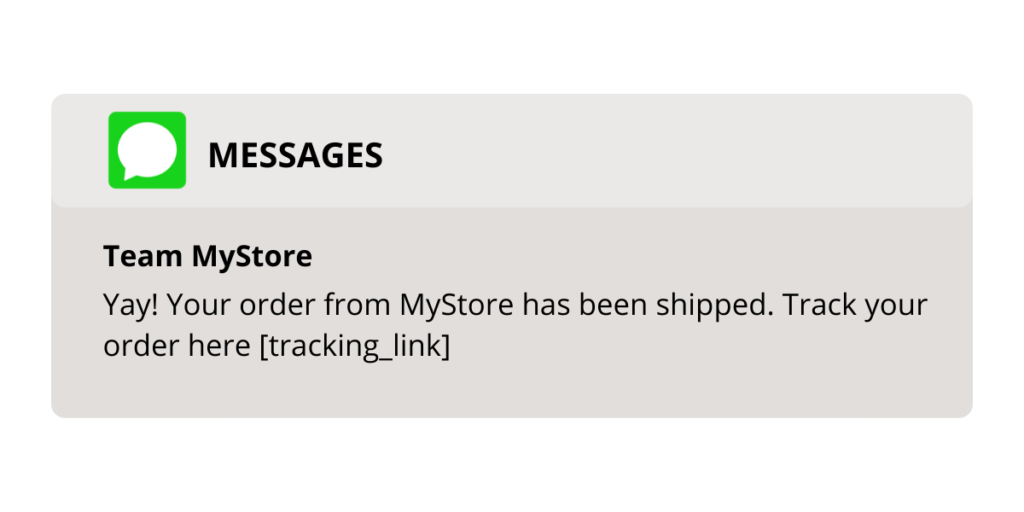
Trigger real-time shipment status notifications via email or SMS the moment an order is picked up by the carrier. Include a realistic estimated delivery date based on actual carrier data — not just standard transit times — so customers set the right expectations from the start.
Pro tip: This is the most anticipated notification in the entire delivery journey. It sets the tone for every touchpoint that follows. Send it immediately at label creation — and make sure the estimated delivery date you include is accurate. Vague windows like ‘5-7 business days’ drive more WISMO tickets than no ETA at all. OneTrack uses carrier-specific predictive data to generate accurate estimated delivery dates in this notification.
Example:
2. When the order is out for delivery
Shipping Event: Out for delivery
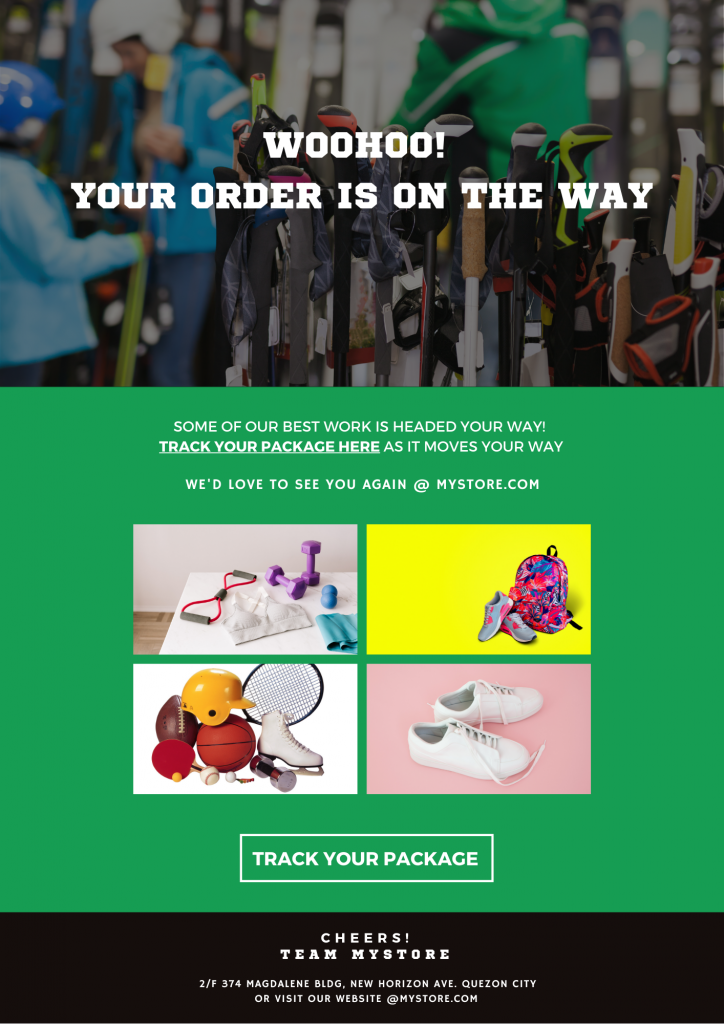
Trigger a delivery status update notification when the carrier marks the order out for delivery. This is the highest-engagement shipping notification in the sequence — open rates peak here because customers are actively anticipating the package.
Pro tip: Most brands route this notification to the carrier’s generic tracking page. That’s a missed CX and retention opportunity. Route customers to your own branded order tracking page instead — a page on your domain with your brand design, your product recommendations, and your support contact. OneTrack’s branded tracking page keeps every post-purchase touchpoint on your brand, not FedEx’s.
Example:
3. When the order is delivered
Shipping Event: Delivered
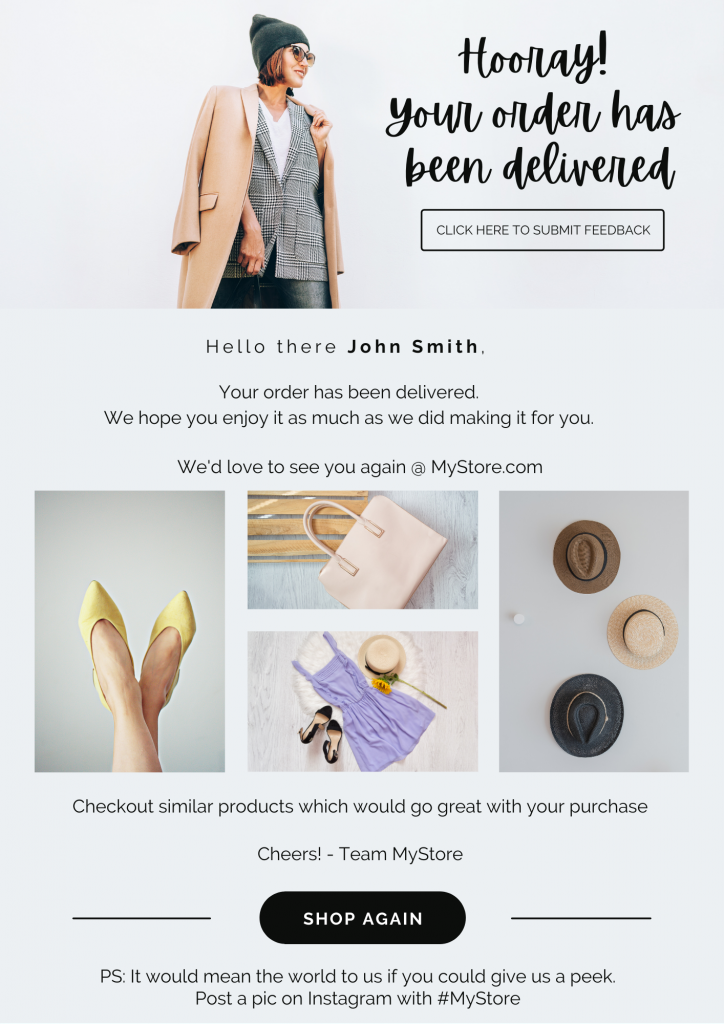
Trigger a delivery confirmation notification the moment the carrier confirms delivery. Thank the customer for their order and use this touchpoint to deepen the relationship.
Pro tip: Delivery confirmation is the start of the repeat purchase window, not the end of the transaction. Additions that drive repeat purchase: similar product suggestions, product care guides and how-to content, loyalty programme invite. This is also the right moment to request a review while the positive delivery experience is fresh. OneTrack’s post-purchase SMS platform lets you trigger this as an SMS for higher open rates alongside the email.
Example:
4. When the order is delivered with delays
Shipping Event: Delivered with delays
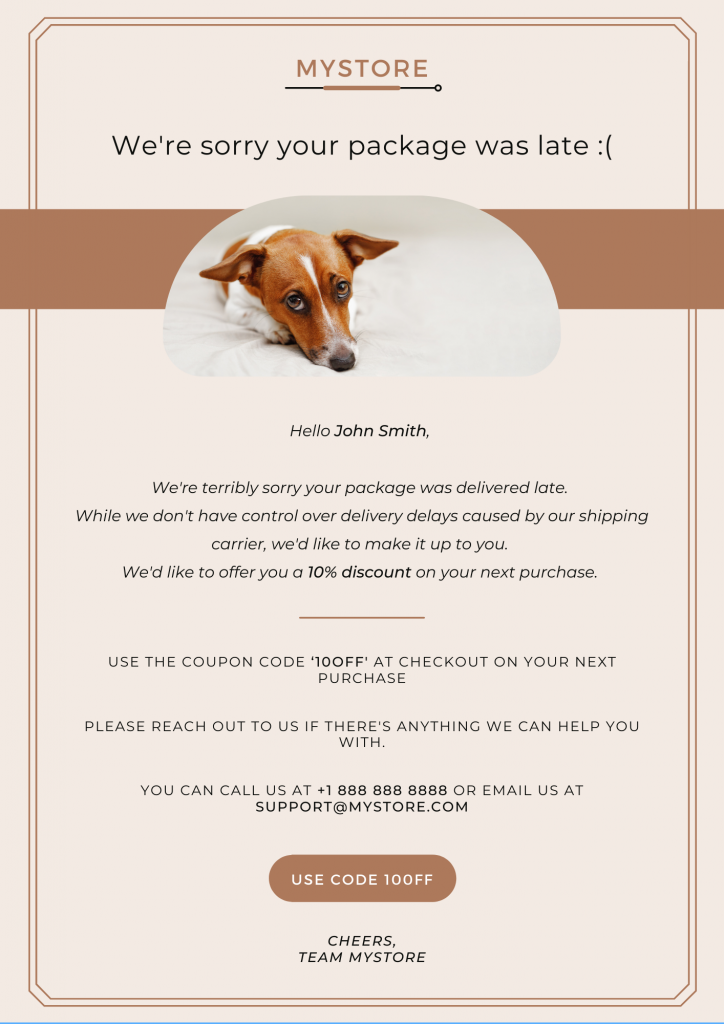
Trigger a delivery notification even when the order arrives late. Acknowledging the delay from your end — not waiting for the customer to bring it up — significantly improves CSAT outcomes even when the experience itself was imperfect.
Pro tip: A small apology and a discount code for the next purchase on a delivered-late notification does two things at once: it closes the negative experience loop, and it creates a next-purchase incentive. The customer who got their order late but received this notification is significantly more likely to purchase again than one who got no communication about the delay.
Example:
5. When the order is in transit with delays
Shipping Event: In transit with delays
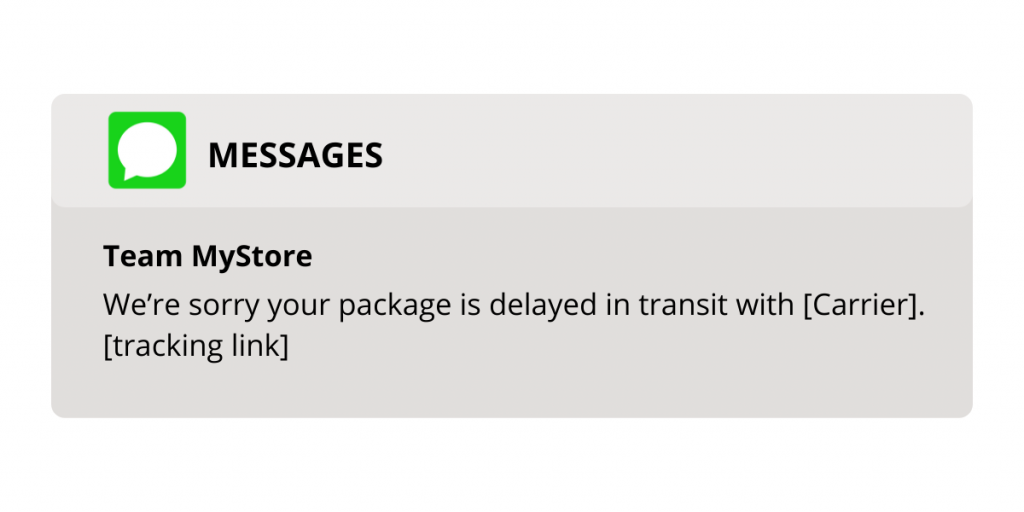
Trigger a proactive customer shipping alert when a shipment that was on track begins showing delay signals in the carrier’s data. This is the notification most brands miss — they wait until the delay is confirmed, by which point the customer has already opened a WISMO ticket.
Pro tip: This notification is where the difference between reactive and proactive CX is most visible. OneTrack identifies in-transit delay signals in real time across 1,000+ carriers and triggers this order delay communication automatically — before the customer checks their tracking page. Sending this notification proactively means the customer hears about the delay from you, not from a stalled tracking scan. The result: fewer support tickets, better CSAT, and a customer who feels respected rather than abandoned. For orders where a delay is severe, consider triggering a replacement via expedited shipping.
Example:
6. When there is a failed delivery attempt
Shipping Event: Failed Delivery
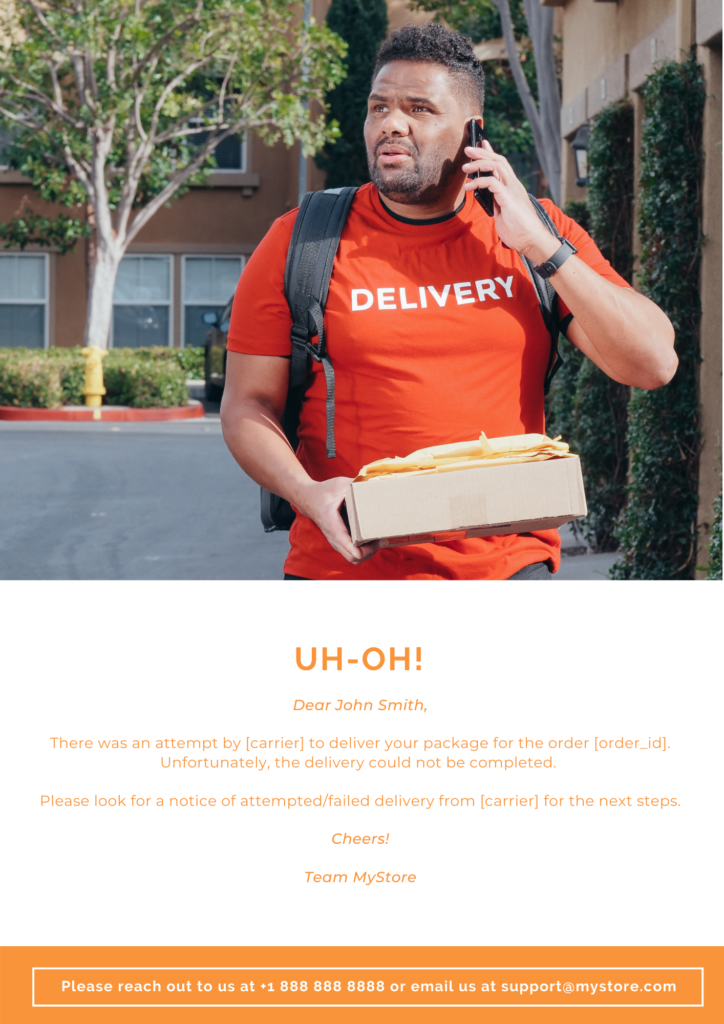
Trigger a notification immediately when the carrier marks a delivery attempt as failed. The customer needs to know this happened, what caused it, and what their options are — from your brand, not from a carrier notification that lands in a spam folder.
Pro tip: Failed deliveries trigger re-delivery charges that eat into your margins. Proactive failed delivery notifications reduce this cost by prompting customers to confirm availability or update their delivery instructions before the carrier attempts again. Use this notification to gather updated address or availability information via a simple CTA. Every successful re-delivery you enable through communication is a re-delivery fee you avoid. OneTrack automates this touchpoint so your support team is not fielding these calls manually.
Example:
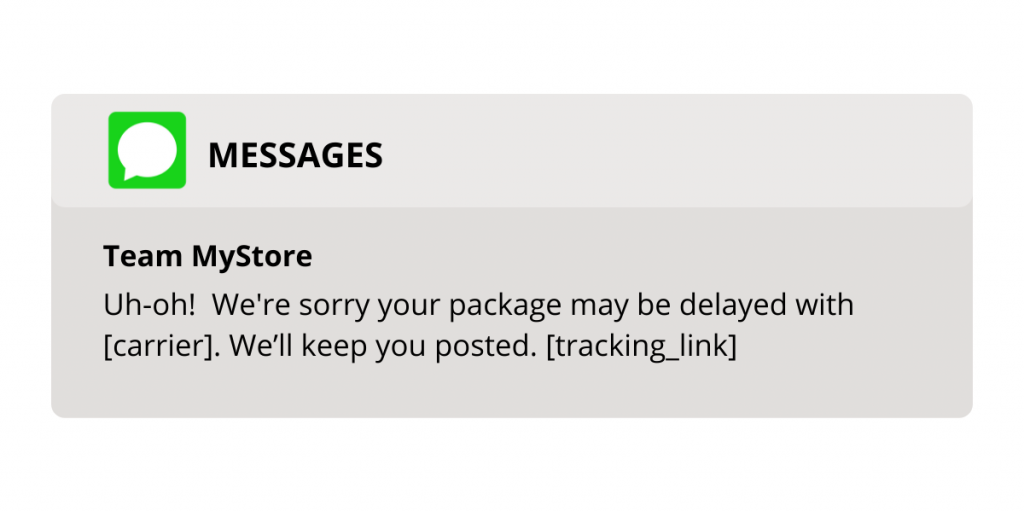
7. When there is a possibility of a delay
Shipping Event: Delay Predicted
Trigger a proactive delay alert notification when your platform predicts a shipment is at risk of delay — before the carrier has officially registered it as late. This is the most proactive notification in the entire stack and the one that makes the biggest difference to WISMO ticket volume.
Pro tip: OneTrack’s package exception alert system monitors every shipment in real time and generates predictive delay alerts based on carrier data signals, route performance, and historical patterns. Sending this notification means customers receive your message before they even think to check their tracking page. That’s the definition of proactive customer shipping automation — and it’s the most direct driver of WISMO reduction. Even if the predicted delay resolves itself, sending this notification and then following up with good news builds trust rather than eroding it.
Example:
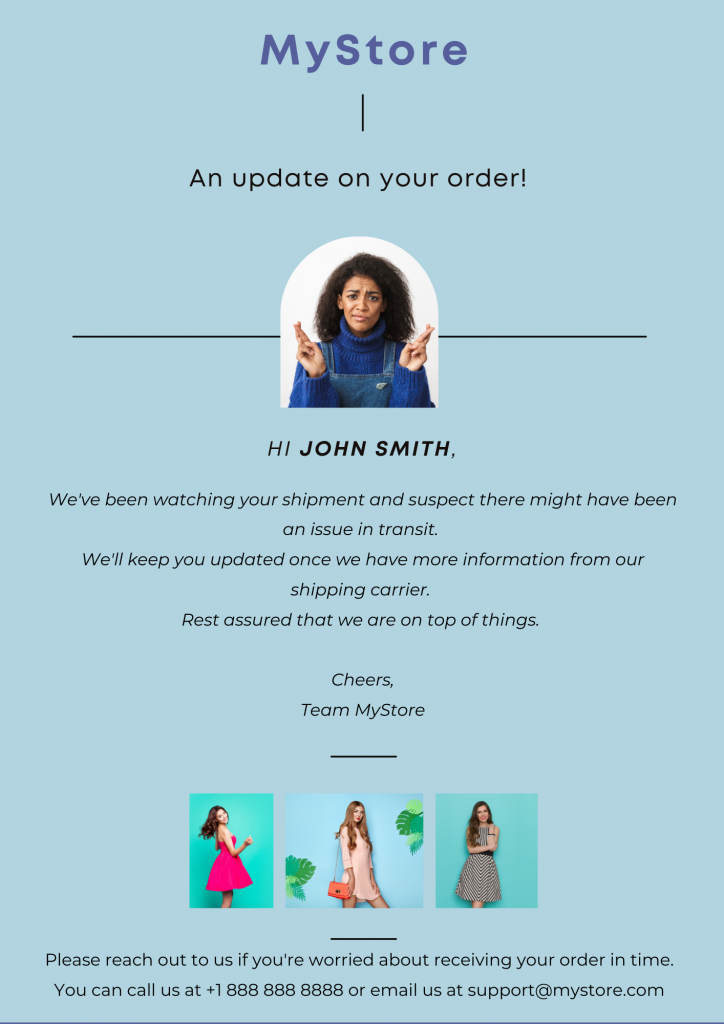
8. When the order is suspected to be lost
Shipping Event: Suspected Lost
Trigger a notification as soon as tracking data suggests a package may be lost in transit. Speed matters here — the sooner you communicate, the more control your brand retains over the resolution narrative.
Pro tip: Customers under stress about a potentially lost order will escalate quickly if they hear nothing from you. Get ahead of it by notifying early and offering two clear resolution paths: locate the package, or issue a replacement or refund. Giving the customer the choice makes them feel heard. OneTrack flags suspected lost shipments automatically so your support team sees them in the dashboard and can act before a complaint escalates.
Example:
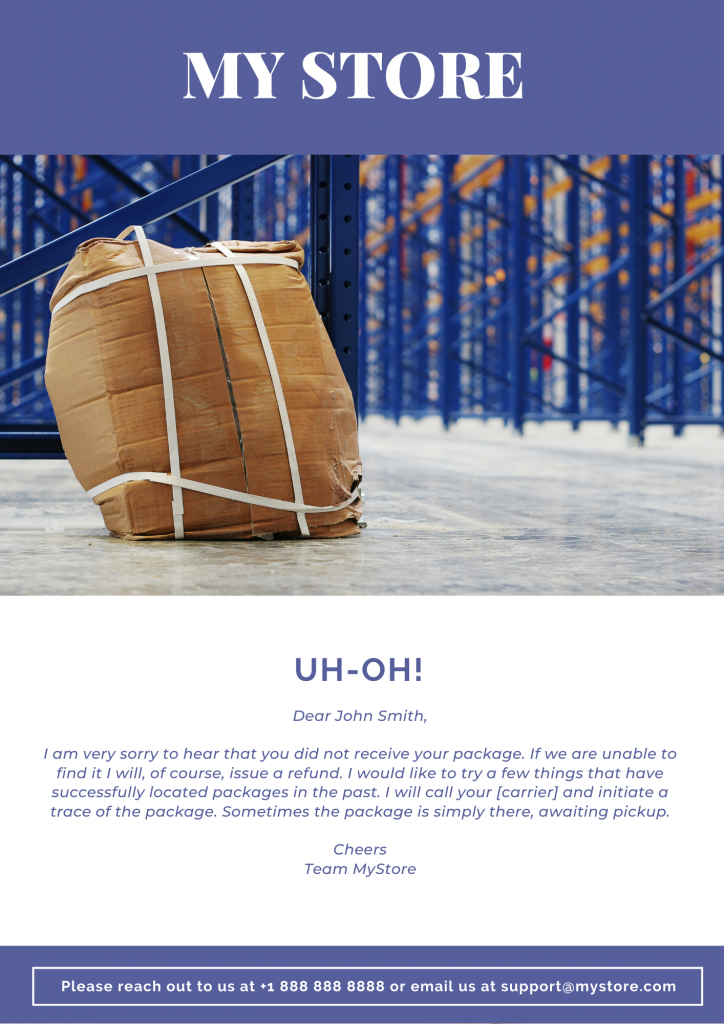
9. When the order is lost or damaged
Shipping Event: Lost/Damaged
Trigger a notification immediately when a shipment is confirmed lost or arrives damaged. Your customer’s first instinct when something goes wrong with a delivery is to check their email for acknowledgement from you. Make sure it’s there.
Pro tip: The brands that recover CSAT from lost or damaged order experiences fastest are the ones that: take full responsibility immediately, offer to bear the cost of returns and replacement, and move quickly to resolution rather than routing the customer through a lengthy claims process. If you have LateShipment.com’s shipping protection (OneProtect) alongside OneTrack, your shipping team can simultaneously trigger a claim and a customer notification in one workflow — turning a loss event into a demonstration of how well your brand handles adversity.
Example:
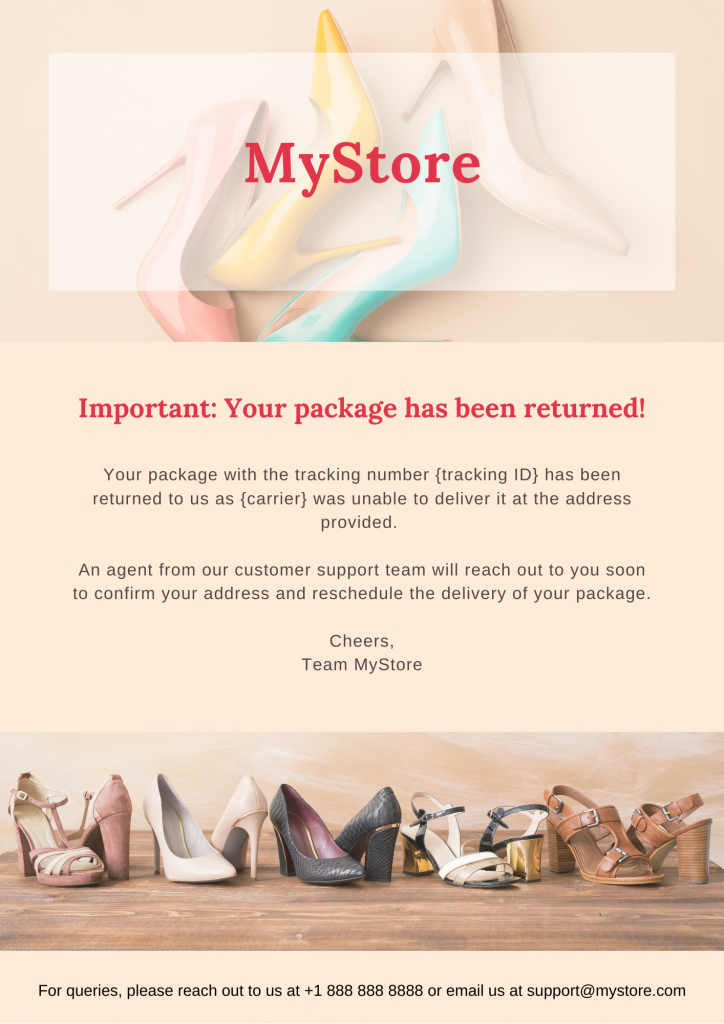
10. When the order is returned due to a failed delivery attempt
Shipping Event: Returned due to failed delivery
Action: Trigger a notification when the carrier returns an undelivered package to your warehouse. Let the customer know their order is back with you after the failed delivery attempt — and use this touchpoint to resolve the root cause.
Pro tip: Use this notification to collect the information your team needs to reship successfully: updated delivery address, preferred rescheduling window, and alternative delivery instructions. A frictionless re-engagement here saves re-delivery costs and turns a frustrating experience into a demonstration that your brand handles problems without the customer having to chase you.
Example:
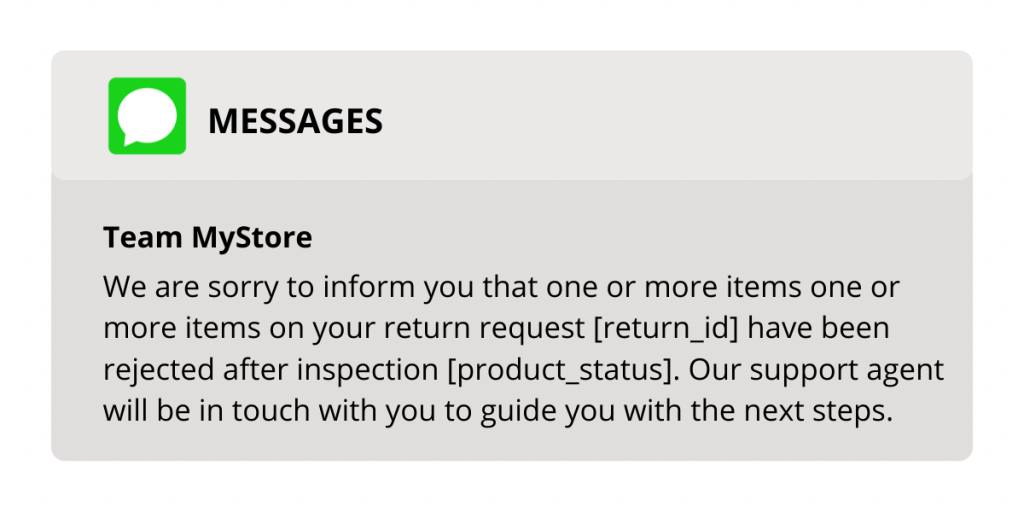
11. When a returns request is rejected
Shipping Event: Returns Rejected
Trigger a notification when a return request does not meet your policy criteria and is rejected. Transparency here is critical — a customer who receives no response to a return request will escalate quickly.
Pro tip: Most returns are size or fit-related, but fraudulent returns and wardrobing are real costs. Build your return policy conditions into the notification flow so customers understand exactly why a return was rejected and what evidence or conditions would change that outcome. Automated policy enforcement, like what OneReturn provides, handles this at the system level — so your support team is not manually adjudicating each case.
Example:
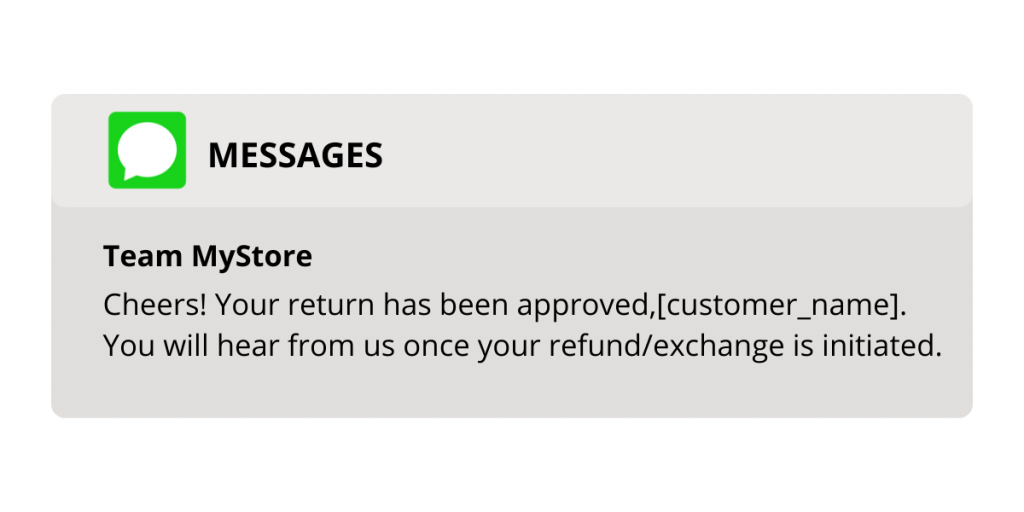
12. When a returns request is approved
Shipping Event: Returns Approved
Trigger a returns approval notification the moment a return is authorised. This is the ‘order confirmed’ equivalent for returns — the notification that removes uncertainty and starts the customer’s return journey with clarity.
Pro tip: Customers who have requested returns are already in a state of mild frustration. The best thing you can do at this stage is make everything as easy as possible from here. Include the return label directly in this notification, clear packaging instructions, and a realistic timeline for refund or exchange processing. The smoother this feels, the higher the likelihood they purchase again.
Example:
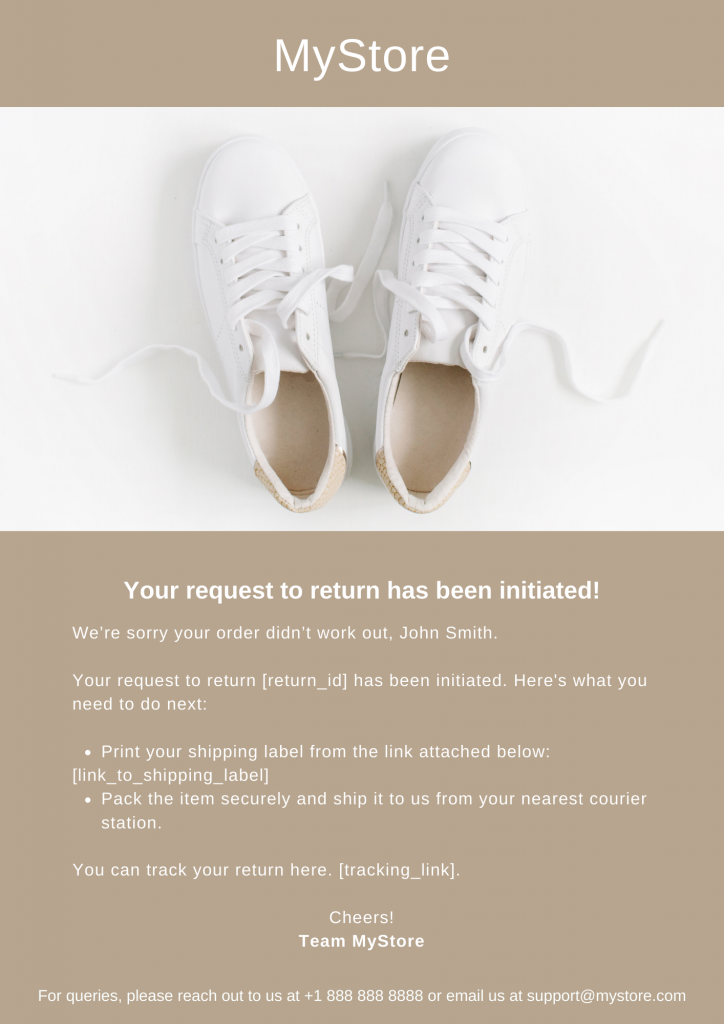
13. When a return is initiated
Shipping Event: Returns Initiated
Trigger a notification once the return process has formally started — label generated, carrier pickup scheduled. This step bridges the gap between approval and physical movement of the package, and customers value knowing exactly where they are in the process.
Pro tip: If your customers are using a self-service returns portal (like the one in OneReturn), include step-by-step instructions in this notification so they feel guided through the process rather than left to figure it out. Include an option to skip label generation for customers with pre-printed labels.
Example:
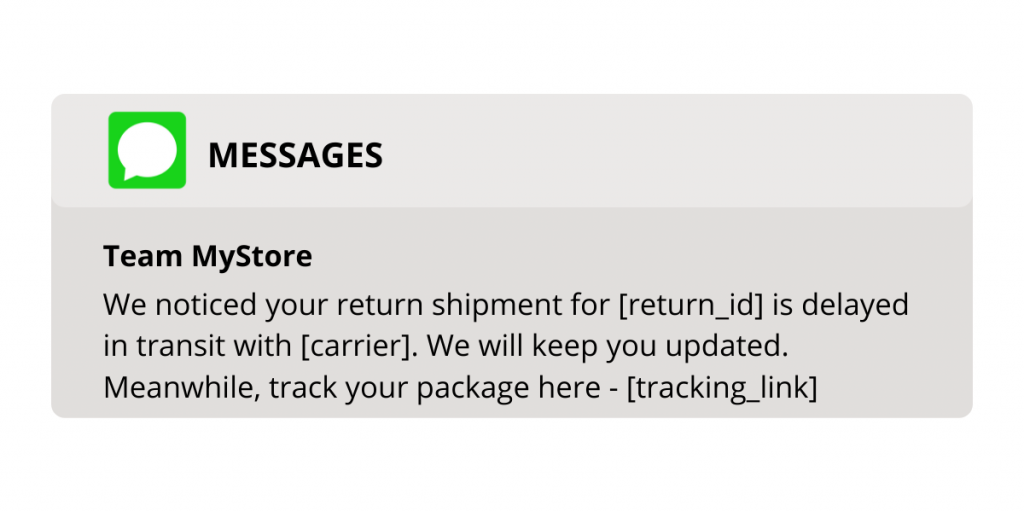
14. When the returned order is in-transit
Shipping Event:Returns In-Transit
Trigger real-time return status update notifications as the returned package makes its way back. Customers feel the same anxiety about returns in transit as they do about forward deliveries — silence generates support tickets in both directions.
Pro tip: Returns can face the same delays and exceptions as outbound shipments. Proactive updates on return transit status reduce customer anxiety and eliminate the ‘Did you receive my return?’ support tickets that are the returns-phase equivalent of WISMO. This is where a returns-side notification stack, like OneReturn’s, works alongside OneTrack’s delivery notification automation to cover the full post-purchase loop.
Example:
15. When the returned order is received
Shipping Event: Returns Received
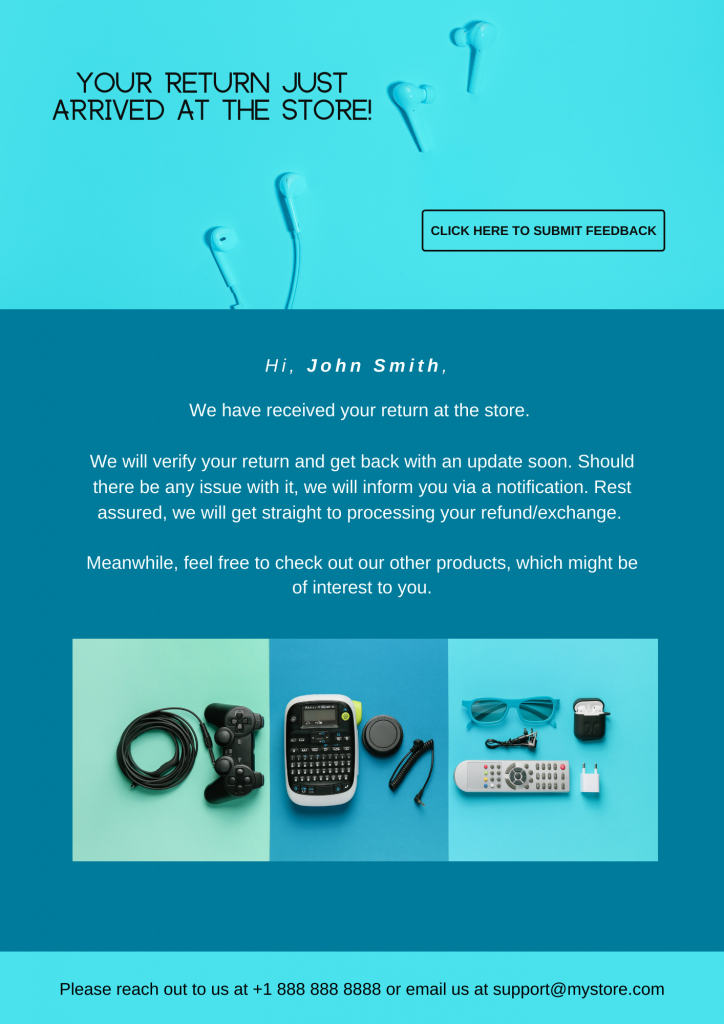
Trigger a confirmation notification the moment the returned package arrives at your warehouse. This is the final step of the returns journey and the starting point for the refund or exchange process — closing the loop clearly for the customer.
Pro tip: A customer choosing a refund is money leaving your business. This notification is the last organic moment to encourage an exchange or store credit instead. A well-timed offer — bonus credit on an exchange, a discount on the next purchase — can retain revenue you’d otherwise lose. OneReturn’s returns portal is built to facilitate exchange nudges at this stage, working alongside the notification to create a complete revenue-retention moment.
Example:
What Is a Shipping Notification Automation Platform? (And What Does It Send to Your Customers?)
A shipping notification automation platform is software that connects to your carrier accounts and e-commerce platform, monitors every shipment in real time, and sends automated delivery status updates — via email and SMS — to your customers at each stage of the order journey, without any manual trigger from your team.
For e-commerce brands, the distinction between a delivery notification automation platform and simply ‘sending shipping emails’ is significant. A basic email trigger fires one or two notifications and goes silent. A proper delivery notification platform monitors shipment status continuously, detects delays and exceptions in real time, predicts problems before they become complaints, and sends the right shipment status email or SMS at the exact moment it’s needed — automatically, at scale, across every carrier you use.
LateShipment.com’s OneTrack is a delivery notification automation platform that covers every row in this table — across 1,000+ carriers, via email and SMS, with fully branded templates and real-time carrier monitoring. It’s the platform CX and support teams use when they need to automate delivery notifications, shipment status emails, and SMS updates for their ecommerce customers without building or maintaining the notification logic themselves.
How OneTrack Automates Your Entire Shipping Notification Stack
Manually managing 15 notification types across thousands of shipments and 1,000+ carriers is not a support workflow — it’s a full-time job. OneTrack by LateShipment.com automates the entire stack, from the first ‘order shipped’ email to the final ‘return received’ confirmation, with no manual trigger required from your team.
Here’s what the automation covers for CX and support teams:
Real-time shipment status notifications across 1,000+ carriers
OneTrack monitors every shipment in your account in real time across more than 1,000 global carriers. The moment a carrier event fires — shipped, out for delivery, delay, exception — OneTrack triggers the corresponding notification automatically via email or SMS. Your support team does not need to monitor carrier tracking pages or manually identify which shipments need customer communication. The system does it for every shipment, all the time.
Proactive delay alerts and package exception alert system
This is OneTrack’s core differentiator for CX teams. Most shipping notification tools send notifications when status changes happen. OneTrack goes a step further: it predicts delays before they are officially registered, flags package exceptions in real time, and sends your customers proactive shipping alerts before they have any reason to open a WISMO ticket.
The package exception alert system covers delayed in-transit shipments, failed delivery attempts, address exceptions, and suspected lost packages — all surfaced in your OneTrack dashboard and triggered as customer notifications automatically. The result for support teams: WISMO tickets drop by 72%. The result for customers: they trust your brand more because you communicate before they ask.
Branded order tracking emails and SMS: keeping customers on your domain
Every tracking link you send your customers is a decision about where they go next. Generic carrier tracking pages — FedEx.com, UPS.com, USPS.com — take customers off your brand entirely. OneTrack’s branded tracking page builder puts a fully branded, on-domain tracking experience in every notification, so customers track their orders on your website, see your product recommendations, and stay in your conversion funnel rather than the carrier’s portal.
The branded order tracking page is among the most-visited pages for any e-commerce brand post-purchase — often generating more visits than your homepage during peak periods. Making it branded and conversion-optimised rather than a generic carrier redirect is one of the highest-ROI improvements a CX team can make without changing anything about the actual delivery.
Delivery status update automation via email and SMS
OneTrack’s post-purchase SMS platform and email automation engine work together to reach customers on their preferred channel. SMS notifications see significantly higher open rates for time-sensitive communications like delay alerts and out-for-delivery confirmations. Email performs better for delivery confirmations, returns communications, and promotional follow-ups after successful delivery.
OneTrack lets you configure channel preferences by notification type — so delay predicted alerts go via SMS for immediate visibility, while delivery confirmations go via both email and SMS for maximum reach. All templates are fully customisable with your brand design, voice, and product content.
Integration stack
OneTrack integrates with your existing tech stack via two-way native connections:
- Order Management Systems: GoShippo, ShipStation
- Email Marketing Tools: Klaviyo, Mailchimp — send notifications through your existing email sequences, not a separate tool
- Help Desks: Gorgias, Freshdesk — surface shipment status in the same agent dashboard your support team already uses
- CRM: Freshsales, Zoho CRM — attach delivery and exception data to the customer record
- 1,200+ additional native integrations across the LateShipment.com platform
The Klaviyo integration is particularly powerful for CX teams: it allows delay alert and exception notifications to run through your Klaviyo flows, so they match the design, personalisation rules, and suppression logic you’ve already built — without duplicating your notification stack in a separate tool.
Bottom Line
Shipping notifications are not just a logistics courtesy. For CX and support teams, they are the primary tool for managing customer expectations, reducing inbound ticket volume, and turning what are often stressful delivery moments into experiences that build lasting loyalty.
The brands that do this best are not sending more notifications — they’re sending the right ones at the right time, automatically, before the customer has any reason to worry. That’s the difference between a post-purchase experience that drives repeat purchase and one that drives churn.
LateShipment.com’s OneTrack handles the full 15-notification stack automatically across 1,000+ carriers, with proactive delay alerts, branded tracking pages, real-time SMS and email delivery, and a WISMO reduction rate of 72% for CX teams who deploy it.
Ready to see it in action? Start your free trial today — setup takes under two minutes.
P.S. OneTrack is one part of the LateShipment.com post-purchase suite. If your support team is managing WISMO tickets on the delivery side, chances are they’re also handling return status queries, refund tracking questions, and shipping claim follow-ups. OneReturn (returns experience management), OneAudit (parcel audit and shipping refunds), and OneProtect (shipping insurance) address each of those ticket categories — all from one platform, with one integration.
Frequently Asked Questions
1. What is a WISMO ticket and how do shipping notifications reduce them?
WISMO stands for ‘Where Is My Order’ — the most common category of post-purchase support ticket in e-commerce. WISMO tickets are generated when customers don’t receive proactive updates about their shipment status and reach out to your support team to ask. Proactive shipping notifications reduce WISMO tickets by eliminating the information gap: if your customer already knows their package is delayed because you told them before they checked, they don’t need to contact support. LateShipment.com customers using OneTrack see a 72% reduction in WISMO support tickets after deploying automated proactive notifications.
2. What is the difference between a proactive delay alert and a standard ‘in transit with delays’ notification?
A standard ‘in transit with delays’ notification is triggered after a delay has been officially registered in the carrier’s system. A proactive delay alert is triggered before that — when OneTrack’s real-time monitoring detects signals that a shipment is at risk of delay based on carrier data patterns, route performance, and tracking scan gaps. The proactive alert means your customer hears about the delay from you before they check their tracking page or open a support ticket. That distinction is what drives WISMO reduction: the customer who received a proactive alert before a delay became official has no reason to contact your support team.
3. How does branded order tracking work in OneTrack?
OneTrack’s branded tracking page builder replaces the carrier’s generic tracking portal with a fully branded, on-domain tracking experience. Every tracking link in your shipping notifications — whether email or SMS — points to a page on your website with your brand design, your product recommendations, and your support contact details. Customers track their order within your brand experience rather than being sent to FedEx.com or UPS.com. This keeps every post-purchase touchpoint on your domain, supports repeat purchase through product recommendations, and builds brand trust at the moment customers are most engaged — while they’re waiting for their delivery.
4. Can OneTrack send shipping delay SMS alerts as well as emails?
Yes. OneTrack operates as both a post-purchase SMS platform and an email notification engine. You can configure which notification types are sent via SMS, which via email, and which via both — based on the notification’s urgency and your customers’ channel preferences. Delay predicted and out-for-delivery notifications typically perform best via SMS due to their time-sensitive nature and the high open rates SMS achieves. Delivery confirmations and returns communications often perform better via email where there’s more room for product recommendations and post-purchase content.
5. How does OneTrack handle package exceptions and delivery exceptions?
OneTrack’s package exception alert system monitors every shipment for carrier-side exceptions in real time: failed delivery attempts, address exceptions, held at facility, suspected lost, in-transit damage flags, and more. Each exception type triggers a corresponding automated notification to the customer and surfaces the shipment in your OneTrack dashboard for your support team’s visibility. Rather than finding out about an exception when the customer emails you, your team sees it first and the customer is already notified — before they have any reason to reach out.
6. Does OneTrack integrate with Klaviyo and Gorgias?
Yes. OneTrack has native two-way integrations with Klaviyo (email marketing and automation), Gorgias (e-commerce helpdesk), Freshdesk, ShipStation, Mailchimp, and 1,200+ other tools. The Klaviyo integration is especially useful for CX teams: it allows your shipping delay alerts and delivery status notifications to run through your existing Klaviyo flows with your design, personalisation rules, and suppression logic already applied. The Gorgias integration surfaces shipment status and exception data directly in the support agent’s ticket view, so agents have full delivery context without switching between tools.
7. What is the estimated delivery update tool in OneTrack?
OneTrack includes an estimated delivery date prediction feature that generates carrier-specific, route-specific EDD data for inclusion in your shipped notifications. Rather than using generic carrier transit-time windows, OneTrack uses real-time carrier performance data and historical route patterns to provide accurate estimated delivery dates. Accurate EDDs in the shipped notification reduce both WISMO tickets (customers who have a specific date to expect are less likely to follow up) and CSAT damage from missed estimates (because the estimate is based on actual route performance, not a carrier’s best-case calculation).
8. Can I automate all 15 shipping notifications through LateShipment.com?
Yes. OneTrack by LateShipment.com automates all 15 shipping notification types covered in this article — from order shipped to returns received — across 1,000+ carriers, via both email and SMS, with fully customisable branded templates. Setup takes under two minutes to connect your carrier accounts and configure notification rules. You can start with the highest-impact notifications (shipped, delay predicted, out for delivery) and add the full stack as you expand your automation. Start your free trial here.
9. What platform automates delivery notifications, shipment status emails, and SMS updates for ecommerce customers?
LateShipment.com’s OneTrack is the delivery notification automation platform built specifically for ecommerce brands. It automates the full spectrum of delivery notifications — shipment status emails, proactive delay SMS alerts, out-for-delivery notifications, delivery confirmations, and exception alerts — across 1,000+ global carriers, triggered in real time by carrier events without any manual input from your team. Every notification is sent through fully branded email and SMS templates, with tracking links that route to your branded tracking page rather than the carrier’s generic portal. For ecommerce customers, this means they receive accurate, timely, on-brand updates at every stage of their delivery journey — from the moment a label is created to the moment the package is confirmed delivered. For CX and support teams, it means a 72% reduction in WISMO tickets, a 6x increase in post-purchase engagement, and zero manual notification management. Setup takes under two minutes.
Related Readings
Monthly Newsletter
Get practical solutions and insights to tackle real-world post-purchase challenges directly in your inbox