

Quick answer: Last mile carrier tracking is the ability to monitor a shipment’s location and status from a carrier’s distribution hub to the customer’s doorstep in real time. For CX and ops teams, it is the difference between proactively managing delivery exceptions before customers notice them and spending support hours answering order status inquiries on shipments that are, by every carrier record, on track and on time.
Across brands using OneTrack, the highest-volume support ticket category is not damaged items or incorrect orders. It is customers asking for a delivery status update on a shipment that, by every carrier record, is on track and on time. The ticket exists not because something went wrong with the delivery, but because the brand went silent after dispatch. Last mile carrier tracking, done properly, is what closes that silence.
This guide covers what last mile carrier tracking is, why it matters operationally for CX and ops teams, how to track a parcel in transit during last mile delivery, and what proactive last mile visibility looks like in practice.
What is Last Mile Carrier Tracking?
Last mile carrier tracking is gaining complete visibility into your last mile. It is the ability to track and trace a shipping carrier’s location and parcel status from the transportation hub to the designated destination.
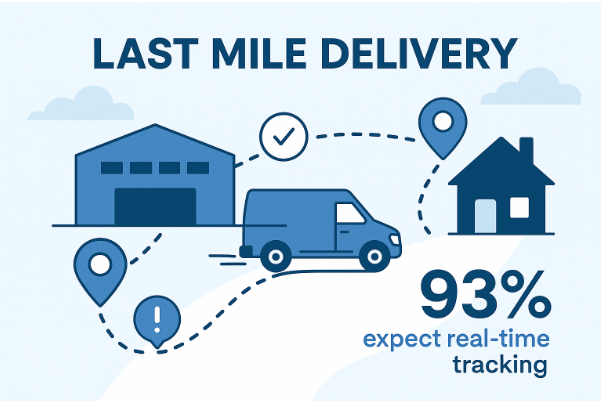
According to LateShipment.com research, 93% of customers expect complete visibility while tracking their orders, and 47% of consumers will not shop again with a brand that does not provide order tracking visibility. The importance of carrier tracking in the last mile is clear.
What does "last mile" mean in shipping?
The last mile refers to the final leg of a package’s journey — from a regional distribution or sortation center to the customer’s address. It is typically the shortest distance in the entire shipping route and, paradoxically, the most expensive, most unpredictable, and most anxiety-inducing segment for customers.
Last mile carrier tracking covers this specific segment: the scan events, location data, and status updates a carrier generates from hub departure through delivered confirmation.
What is last mile tracking? A plain definition
Last mile tracking is the system that gives brands and their customers visibility into where a package is during the final delivery segment. It combines carrier scan events (pickup, in transit, out for delivery, delivered), estimated delivery windows, and, when done well, proactive exception alerts when anything changes.
The distinction between last mile tracking and full order tracking matters operationally. Last mile tracking is carrier-data-driven, covering only the segment after carrier pickup. Order tracking covers the full journey, including pre-shipment milestones the brand generates before the carrier is even involved. Both layers together eliminate the majority of delivery-related support contacts.
Why Last Mile Carrier Tracking Matters for CX and Ops Teams
Last mile carrier tracking is a CX infrastructure decision, not just a logistics one. Here is why it belongs on the CX and ops team’s agenda, not just the carrier’s.
Minimizes delivery hiccups
By informing customers of where their package is and when it will arrive, last mile tracking reduces the risk of missed deliveries. Customers who know a delivery is coming plan accordingly — reducing failed delivery attempts and the re-delivery costs that follow.
Fosters transparency
Real-time order status updates inform customers about location, estimated arrival, and any delivery issues as they occur. This kind of communication builds the foundation for long-term brand relationships. Customers want to stay informed, and meeting that need proactively signals how much you value their business.
Facilitates regular, accurate communication with customers
Beyond enabling tracking lookups, brands send post-purchase email and SMS notifications to keep customers informed throughout the delivery lifecycle. The key word is “accurate.” Notifications that fire based on real carrier scan events, not on fixed-day schedules, are what actually reduce contact volume. Interval-based notification sequences look like communication. Event-triggered ones are communication.
Reduces order status inquiries and support costs
The average ecommerce brand sees order status inquiries at a rate of 10-25% of support volume during non-peak months. During peak season, that rate climbs significantly. These contacts are almost entirely preventable — they originate from a communication gap, not a fulfillment failure. When customers know where their order is, they do not contact support to ask.
Drives customer satisfaction and repeat purchases
Customers think about their orders from the moment they confirm checkout. When you give them real-time visibility into where their order is and when it arrives, the anxiety goes quiet. Customers who are not anxious about a delivery do not contact support about it — and they come back to shop again. According to LateShipment.com research, brands processing high shipment volumes with proactive tracking in place see measurable improvement in post-purchase satisfaction scores, even when deliveries are delayed.
Enhances supply chain visibility
Last mile carrier tracking gives ops teams a step-by-step view of the package’s journey from dispatch to delivery. This visibility supports identifying bottlenecks before they escalate into widespread exceptions. Brands using OneTrack get this view across all carriers in a single dashboard — not carrier-by-carrier.
Helps resolve delivery issues proactively
Tracking packages across the shipping journey positions ops teams to address delivery issues before customers notice them. A “lost in transit” flag allows your team to contact the customer, issue a replacement, and file a carrier claim — all within the carrier’s refund window. OneTrack’s Predictive Incident Alerts flag at-risk shipments before they generate customer contacts.
Drives operational efficiency
Last mile tracking supports driver route monitoring and real-time route updates to optimize delivery time. By tracking delivery vehicles in real time, it also supports resource planning — assigning delivery agents to routes and calculating vehicle requirements for efficient daily operation.
What is a Last Mile Tracking Number?
Also known as the delivery confirmation number or the final mile tracking number, a last mile tracking number is a unique identifier assigned to every package to facilitate tracking as it moves from a transportation hub to the customer’s doorstep.
This identifier is assigned by the carrier and shared with the brand and customer. To track a package, brands and customers enter the tracking number on the carrier’s tracking page, triggering a query that returns the package’s current status within seconds. Common status updates include “In Transit,” “Out for Delivery,” and “Delivered.”
Last mile number tracking: how ops teams use it beyond status lookups
For ops teams, the last mile tracking number is more than a customer-facing status tool. It is the reference that enables:
- Exception research: when a package stops scanning or triggers an exception event, the tracking number is the starting point for carrier escalation.
- Claim filing: carrier refund claims for late delivery, lost packages, or damaged items require the tracking number as the primary reference. Claims filed outside the carrier’s window are denied. Teams without automated tracking visibility often miss that window.
- Performance analysis: aggregating tracking data by carrier and lane identifies which carriers have the worst last-mile scan reliability and which routes generate the most exceptions — feeding directly into carrier contract negotiations.
- Proof of delivery: the delivered scan tied to the tracking number is the documentation baseline for disputes when customers report non-delivery on packages the carrier has marked delivered.
Benefits of a Last Mile Tracking Number
Drives customer experience
The last mile tracking number gives brands and customers real-time visibility — no guessing, no order status inquiries from customers wondering where their package is. With accurate ETAs and instant status updates, customers feel informed and confident. Timely communication during the final delivery leg directly reduces support contacts and builds the trust that drives repeat purchases.
Enhances delivery efficiency
Tracking numbers are operational tools, not just customer references. They enable real-time package movement monitoring, giving ops teams the ability to detect delays, address route issues, and optimize last-mile logistics before they become customer-facing problems.
Facilitates supply chain visibility
The last mile tracking number acts as the connective reference across the supply chain, providing detailed visibility into the most unpredictable leg of the delivery journey. Real-time tracking, quicker issue resolution, and recurring bottleneck identification all depend on it.
Tracking a Parcel in Transit During Last Mile Delivery
When a parcel is in transit during the last mile, it is in the highest-anxiety phase of the delivery journey for both the customer and the ops team. The package has left the regional sortation hub and is either at a local delivery facility or already on a vehicle. Carrier scan frequency and data quality during this window varies significantly by carrier — and that variability is predictable and manageable.
This is where most delivery-related support contacts originate. Not because the package is late, but because the customer cannot tell whether it is on schedule.
| What ops teams should monitor | Why it matters |
|---|---|
| Real-time location relative to expected delivery window | A package flagged as in transit at 4 PM for a same-day delivery needs proactive exception communication immediately, not reactive support two hours later. |
| Carrier scan frequency gaps by carrier and lane | Some carriers go silent for up to 8 hours in the last mile. Knowing which ones prevents misinterpreting silence as a delay and generating unnecessary exception escalations. |
| Exception flags: delivery attempted, address issue, carrier hold | These flags need a simultaneous customer notification and ops team alert to resolve before the re-delivery window closes. Catching them late costs a re-delivery fee and a support contact. |
| EDD recalculation against live scan data | If a package is running ahead or behind the original EDD, the tracking page should update dynamically — not hold the original estimate until delivery scans confirm it wrong. |
The last-mile tracking blackout: what it is and how to manage it
Many carriers provide no scan events between a regional sortation hub scan and the delivered scan — a window that stretches from 4 to 8 hours for same-day expected deliveries. Customers who check their tracking during this window see “in transit” with no movement and generate a support contact.
The fix is not a carrier API improvement. It is carrier-specific messaging on your branded tracking page. Brands using OneTrack build per-carrier last-mile context into their tracking page: “Your package is with a [Carrier] driver and should arrive today. Tracking updates are limited during this final stage.” That single message converts an 8-hour silence from a ticket trigger into a managed expectation — requiring no carrier cooperation and no engineering lift once configured.
How to Track Last Mile Carrier Tracking: The CX and Ops Workflow
CX and ops teams need a more structured approach than “visit the carrier’s tracking page and enter the number.” Here is the full operational workflow — from individual parcel lookup to systematic last-mile visibility at scale.
Step 1: Source the tracking number
Your shipping carrier assigns a tracking number to every package. Find it on your package receipts or request it from your carrier directly. In an automated operations stack, this tracking number should be captured programmatically and stored against the order record the moment the carrier label is generated — not retrieved manually per inquiry. Manual retrieval per ticket is a process that does not scale beyond a few hundred shipments per month.
Step 2: Map carrier tracking data quality by carrier and region
Before designing any notification or monitoring flow, pull your shipment mix by carrier for the last 30 days and identify which carriers have reliable in-transit scan frequency and which go silent in the last mile. This map is the foundation of an asymmetric notification strategy: heavier proactive messaging for carrier-region combinations with poor scan data, lighter for carriers with granular event reporting. OneTrack provides this carrier performance view across all active carriers without manual data pulls.
Step 3: Move the tracking experience to your domain
Redirect all carrier tracking links in your post-purchase emails to a branded tracking page on your own domain — not to the carrier’s tracking page. A customer sent to UPS.com or FedEx.com after purchase lands in a system with no brand context, no proactive communication, and variable last-mile data quality. A branded tracking page on your domain gives you control over what the customer sees and when they see it. OneTrack provides an embeddable branded tracking page that aggregates carrier data across 1,200+ carriers.
Step 4: Navigate to the carrier’s tracking page (for individual lookups)
For individual parcel lookups, navigate to your carrier’s tracking page (FedEx, UPS, USPS, DHL) and enter the tracking number. The package status displays within seconds. If you detect a delay or the package has stopped scanning beyond its normal last-mile window, contact the carrier directly using the tracking number as your reference rather than waiting for the customer to surface the issue.
Step 5: Configure event-triggered notifications, not interval-based ones
Replace any post-purchase email sequences running on day-based logic with notifications that fire when carrier scan events occur. The five trigger events with the highest ticket-suppression value are: warehouse dispatch (pre-carrier pickup), carrier pickup confirmed, out for delivery, delivery exception detected, and delivered confirmation. Configuring these five events across your carrier mix is where the measurable reduction in delivery-related contacts originates.
How Proactive Last-Mile Updates Reduce Support Tickets
Proactive delivery updates reduce support contacts when they are timed to carrier events, not fixed intervals. The mechanism is direct: if the customer already has the information, they do not contact support to ask for it. Here is where last-mile contact volume concentrates, and what closes each gap.
The post-ship silence window
Between “your order has shipped” and the first meaningful carrier scan, there is typically a 12-24 hour window where nothing visible happens. Customers who check their tracking during this window see “label created” or “awaiting carrier pickup” and assume something went wrong. A single proactive notification — “your order has left our warehouse and will be picked up by [carrier] within 24 hours” — eliminates this category of contacts entirely. It requires no carrier data. It requires only that your warehouse dispatch event triggers a notification.
The last-mile tracking blackout
Covered in the section above. The solution is carrier-specific last-mile messaging on your branded tracking page that explains the data gap before the customer interprets it as a problem. This is a one-time configuration per carrier-region combination, not a recurring operational cost.
Delivery exception notifications: the highest-impact action in the last mile
A delivery exception — delayed scan, failed delivery attempt, weather hold, address issue — is the moment most brands go silent and most customers start drafting a support contact. The brands using OneTrack with the lowest exception-related contact rates do two things: they send the exception notification to the customer at the moment the exception is detected (not after the customer notices the EDD has passed), and they configure a simultaneous internal alert to the CX team so agents have context when the customer does follow up.
Challenges in Last Mile Carrier Tracking
Understanding last mile carrier tracking fully means understanding where it fails. Here are the four most common challenges and how to address them.
1. Unpredictable external factors that disrupt delivery
Weather disruptions, road closures, accidents, and vehicle breakdowns are beyond carrier or brand control. These cause delivery delays that cannot be prevented but can be communicated proactively. Brands that detect exceptions and notify customers before the delivery date passes convert what would be a frustrated support contact into a managed expectation.
Mitigation: route optimization tools that factor in and re-route around disruptions; proactive customer communication when exceptions are detected; multi-carrier flexibility to switch carriers when needed without disrupting the customer experience.
2. Communication gaps between dispatchers, drivers, and customers
Misunderstandings between dispatchers, last-mile delivery agents, and customers create missed deliveries, failed attempts, and re-delivery costs. Missing house numbers, gate codes, or ambiguous delivery instructions open the door to these failures.
Mitigation: two-way, real-time messaging platforms connecting dispatchers, drivers, and customers during the last-mile window. The more aligned all parties are on delivery specifics, the smoother the last-mile outcome.
3. Operational costs of last-mile tracking infrastructure
Balancing delivery experience quality with cost efficiency is difficult in the last mile, where expenses accumulate from tracking technology, fuel, driver wages, and expedited or low-density routes. Rural deliveries cost significantly more than urban ones due to increased travel time and fewer stops per route.
Mitigation: flexible, data-driven tracking tools that scale with operations and optimize delivery routes without requiring dedicated engineering resources. Platforms that connect to existing fulfillment infrastructure reduce total implementation cost.
4. Siloed data across business systems
When order management, shipping, CX, and tracking tools operate independently, vital delivery information gets lost between systems. This leads to delayed exception identification, inconsistent customer communication, and missed opportunities to optimize carrier performance over time.
Mitigation: connecting all business systems so CX teams, ops teams, and customer-facing tracking pages all operate from the same real-time data source. OneTrack provides a unified view across all carriers and all active shipments in a single platform.
Technologies Used in Last Mile Carrier Tracking
Several technologies work together to make last mile carrier tracking possible. Understanding them helps ops teams identify which infrastructure gaps they need to close.
GPS tracking
GPS technology enables real-time package and vehicle tracking across the shipping journey. Carriers use GPS to monitor their last-mile fleet, calculate accurate delivery estimates, and optimize routes in real time.
RFID tags
Radio Frequency Identification (RFID) technology uses tags on packages that are scanned at each handling point — transportation hubs, storage facilities, delivery vehicles — to generate status updates that feed tracking pages and notification systems.
Barcodes
Barcodes are unique identifiers printed on package labels that enable tracking as a package moves through the shipping journey. They produce real-time status and location updates, facilitating accurate delivery estimates. The last mile tracking number encoded in a barcode is what carriers scan at delivery for proof of delivery confirmation.
Internet of Things (IoT)
IoT sensors and connected devices track packages in real time, providing insight into location, temperature, and package condition simultaneously. This matters most for shipments requiring condition monitoring — pharmaceuticals, perishables, and high-value goods.
Blockchain technology
Blockchain acts as a tamper-resistant digital ledger recording package movement across the shipping journey. It supports enhanced communication between brands, carriers, and customers while reducing error-prone paperwork and the risk of fraud.
Smart lockers
Placed at convenient locations and requiring a code or mobile app to open, smart lockers give customers a secure and reliable way to receive deliveries without needing to be home. They eliminate the porch piracy risk for packages left unattended — an estimated $12 billion in packages were stolen in the US in 2023 alone.
[Stat: $12B porch piracy figure. Confirm source and year before publishing.]
Electronic Logging Devices (ELDs)
ELDs monitor hours of service for commercial drivers, ensuring compliance with federal regulations and providing real-time visibility into driver activity and location. This data feeds into fleet management systems alongside package tracking data.
Cloud-based delivery experience platforms
Cloud-based platforms such as OneTrack by LateShipment.com give brands a centralized platform with visibility across the entire delivery operation. OneTrack monitors all active shipments regardless of carrier, triggers Predictive Incident Alerts when packages flag as at-risk, provides a branded tracking page for customers on your domain, and surfaces fulfillment analytics for ops team review. It connects to 1,200+ carriers globally without requiring custom integration work per carrier.
How LateShipment.com Closes the Last-Mile Tracking Gap
The structural limitations of last-mile carrier tracking are not limitations of carrier technology. They are limitations of the carrier’s role. A carrier’s job is to move packages. A brand’s job is to maintain a relationship with the customer during the delivery phase. Those are two different problems, and they require two different solutions.
OneTrack by LateShipment.com solves the brand’s problem. It aggregates tracking data from 1,200+ carriers into a single branded tracking page on your domain. You configure event-triggered notifications that fire when carrier scans occur, not on a daily schedule. It maps last-mile data quality by carrier and region so you can surface carrier-specific context on your tracking page, converting an 8-hour silence from a ticket trigger into a managed expectation. It detects delivery exceptions in real time and triggers simultaneous notifications to the customer and your CX team so both sides have context the moment the problem emerges.
The results are measurable. Brands using OneTrack reduce order status inquiries by up to 72%, not by improving carrier performance, but by closing the notification gap that sits between every carrier scan event and your customer’s inbox.
The setup does not require a multi-quarter engineering project. OneTrack provides embeddable branded tracking pages and event-triggered notification logic that connect to your existing fulfillment stack. You move from generic carrier tracking links to fully branded, fully proactive order tracking in weeks, not months.
Delivery is the moment when customer anxiety peaks and support ticket volume spikes. It is also the moment when a brand has complete control over the post-purchase experience. OneTrack gives you the tools to exercise that control.
Key Takeaways
| What you need to know | What to do about it |
|---|---|
| Last mile carrier tracking covers the final delivery segment from carrier hub to customer address — the most anxiety-inducing phase for customers and the one with the most variable data quality. | Map your support ticket breakdown by delivery stage before making any tracking infrastructure changes. You will find most contacts originate in the post-ship silence window and the last-mile blackout. |
| The last mile tracking number is an ops tool as much as a customer reference — enabling claim filing, carrier escalation, and performance analysis across lanes. | Store tracking numbers programmatically against order records from label generation, not retrieved manually per inquiry. |
| A parcel in transit during last mile delivery sits in a predictable data gap — carrier scan silence that stretches 4-8 hours for many carriers in specific regions. | Build carrier-specific last-mile messaging into your branded tracking page to explain tracking silence before customers interpret it as a problem. |
| Carrier tracking pages are structurally inadequate as a CX strategy — no brand voice, no proactive communication, inconsistent last-mile data quality. | Move the tracking experience to your domain with a branded tracking page that aggregates all carrier data and covers the full order journey including pre-carrier milestones. |
| Event-triggered notifications suppress support contacts; interval-based ones do not. The mechanism is simple: customers who already have the information do not contact support to ask for it. | Replace fixed-interval post-ship email sequences with event-triggered notifications at warehouse dispatch, carrier pickup, out for delivery, exception detected, and delivered. |
| Brands using OneTrack reduce order status inquiries by up to 72% by closing three notification gaps, not by improving carrier performance. | Start with the three highest-impact gap closures: warehouse dispatch notification, carrier-specific last-mile messaging, and exception notifications sent before the customer notices. |
Frequently Asked Questions About Last Mile Carrier Tracking
What is last mile tracking?
Last mile tracking is the ability to monitor a package’s location and status from a carrier’s distribution hub to the customer’s address in real time. It covers carrier scan events (out for delivery, delivered), estimated delivery windows, and exception alerts. For ecommerce brands, it is the foundation of proactive post-purchase communication — the system that determines whether customers know where their order is or whether they contact support to ask.
What does “last mile” mean in shipping?
Last mile refers to the final segment of a package’s journey from a regional distribution or sortation center to the customer’s address. It is the shortest segment by distance and the most expensive and operationally complex by execution. It is also the segment with the highest customer anxiety and the most variable carrier tracking data quality — making it the primary source of delivery-related support contacts.
What is a last mile tracking number?
A last mile tracking number is a unique identifier assigned to a package by the carrier, enabling tracking through the final delivery segment. Brands use it to monitor scan events, file carrier claims, and resolve delivery disputes. Customers use it to check delivery status on the carrier’s page or, in a well-configured post-purchase stack, on the brand’s own branded tracking page.
How do I track a parcel in transit during last mile delivery?
Enter the tracking number on your carrier’s tracking page or your branded tracking page. Review the most recent scan event to locate the package in the last-mile segment. If the package has not scanned for more than 6-8 hours during expected delivery hours, flag it for carrier escalation. For ops teams managing hundreds of active shipments, automated exception monitoring (as OneTrack provides) handles this across all shipments without manual lookup per order.
Why does last mile tracking data go silent for hours?
Many carriers provide no scan events between the regional sortation hub scan and the delivered scan — a gap that can stretch 4-8 hours. This is the normal scan cadence for several major carriers in specific regions, not an error or a delay signal. The operational fix is carrier-specific messaging on your branded tracking page that explains this gap before customers interpret silence as a problem.
How can brands improve delivery visibility in the last mile?
Three actions have the most direct impact: replace carrier tracking links with a branded tracking page on your own domain; configure event-triggered notifications for the five key delivery milestones; and build carrier-specific last-mile messaging that explains tracking silence during the final delivery segment. OneTrack by LateShipment.com delivers all three without requiring custom carrier integration work.
How do proactive updates reduce support tickets?
Proactive updates reduce support tickets by answering the customer’s question before they form it. A notification sent when a delivery exception is detected — before the customer notices their expected delivery date has passed — eliminates the contact that would otherwise follow. This is the mechanism behind the up to 72% reduction in order status inquiries that brands using OneTrack achieve.
What is WISMO and how does last mile tracking reduce it?
WISMO stands for “Where Is My Order” and describes any customer support contact asking for a delivery status update on a shipment in transit. It is the most preventable category in ecommerce CX because it is caused by a communication gap, not a fulfillment failure. Last mile carrier tracking reduces WISMO by closing the notification gap: customers who receive proactive updates at every key delivery milestone — dispatch, pickup, out for delivery, exception, delivered — have no reason to ask where their order is.
Does OneTrack support all carriers?
OneTrack connects with 1,200+ carriers globally, including FedEx, UPS, USPS, DHL, Canada Post, Australia Post, and regional carrier networks. All tracking data feeds into a single branded tracking page. Brands operating across multiple carriers or markets get a consistent tracking experience for customers, regardless of which carrier is handling any specific shipment.