
Quick answer: A UPS delivery exception means your package has encountered an unexpected issue that may delay delivery. It does not mean the package is lost. Common causes include an incorrect address, a failed delivery attempt, bad weather, customs delays, or a damaged label. In most cases, UPS will reattempt delivery the next business day or wait for corrected information. Check your tracking page — if action is required from you, it will say so there. |
Key Takeaways
- A delivery exception doesn’t mean a lost package
Most UPS exceptions are temporary disruptions—packages are usually delivered after reattempts or minor corrections. - Even small exception rates create large-scale impact
With millions of shipments, a 1–2% exception rate translates into delays, increased support tickets, and lost revenue at scale. - Most exceptions are preventable with better inputs
Incorrect addresses, poor labeling, and incomplete customs documentation are among the biggest avoidable causes. - The real problem isn’t the exception—it’s how you handle it
Lack of proactive communication and visibility turns minor delivery issues into poor customer experiences and churn risk. - Automation is the only scalable way to manage exceptions
Manual tracking and resolution don’t scale—real-time monitoring, automated alerts, and centralized visibility are critical to reduce impact and protect revenue.
This guide is for e-commerce merchants, 3PLs, and businesses shipping with UPS who need to understand what each exception type means and what to do when one hits.
E-commerce platforms have made shopping more convenient than ever for customers. However, it’s not the only benefit that matters. Customers today expect their packages to show up on time, at the right place, and in perfect condition.
And as long as you tick those boxes, you’ve got happy customers, a smooth shipping process, and a constant flow of revenue.
Until you get hit with a ‘delivery exception.’
UPS ships over 24 million packages a day, and even a 1–2% exception rate means thousands of orders could be delayed or rerouted. For your business, this translates to lost revenue, increased support tickets, and a subpar delivery experience.
In this guide, we’ll break down what a UPS shipment exception actually means, the different types you’ll encounter, and, most importantly, how to respond to and prevent it.
What is a UPS Delivery Exception?
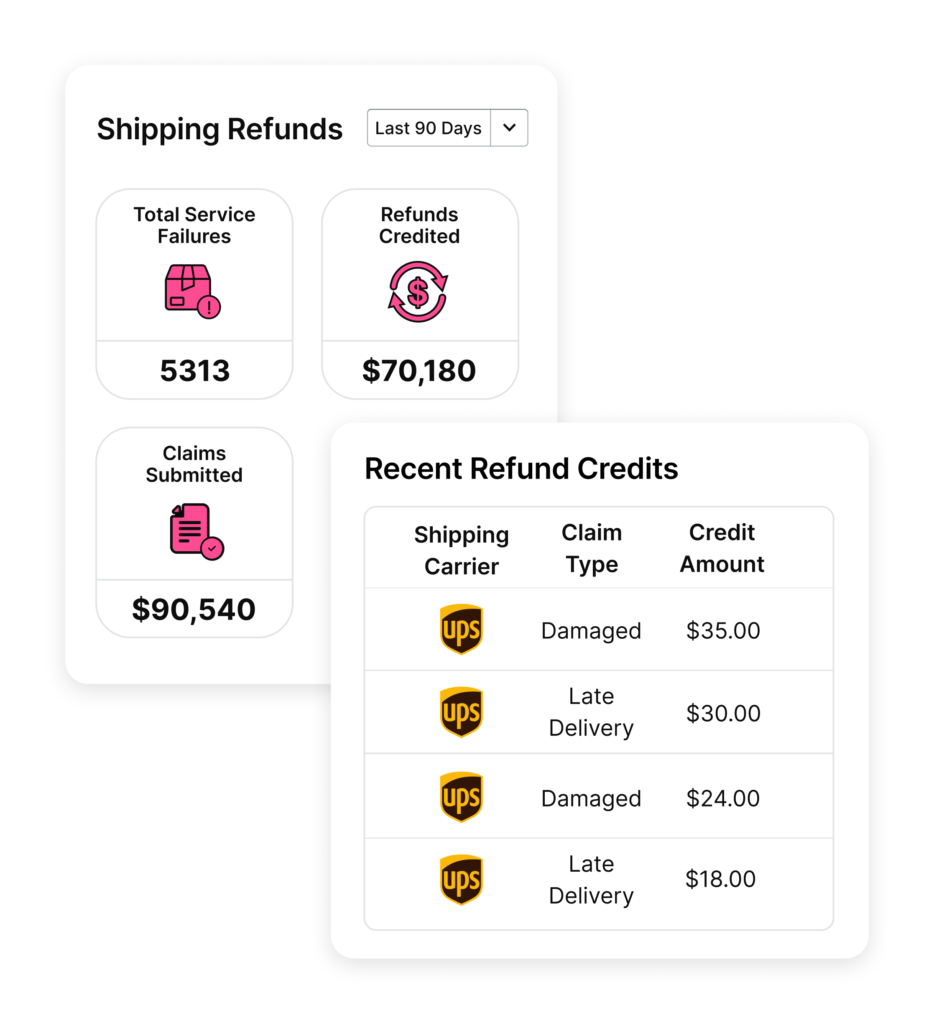
A UPS delivery exception is a status update in which a package is delayed due to some unexpected circumstances. In this situation, the package may or may not arrive on the promised date, but UPS is notifying you that things aren’t going as planned.
These exceptions can happen at any point in the shipping journey — at pickup, in transit, or during delivery. In fact, over 11% of all shipments encounter a delivery exception of some kind.
When an exception gets flagged, one of three things happens: the package still arrives on time because UPS resolved the issue or rerouted the shipment, it arrives late but gets delivered successfully, or it gets returned to the sender. Most exceptions fall into the first two categories. A return to sender typically only happens when the address is completely undeliverable or the issue goes unresolved for too long.
Common causes include:
- Missed delivery attempt
- Damaged or missing label
- Issues with customs
- Harsh weather conditions
- Federal holidays
- Incorrect or incomplete address
- Recipient not available for signature
Types of UPS Delivery Exceptions
Your UPS package could face a delivery exception for various reasons. Here are all the types you will encounter as a merchant shipping at scale.
Incorrect or Incomplete Address
A package may encounter a UPS delivery exception in case of an incorrect address. This is one of the most common and most avoidable exceptions. It happens when the shipping label does not match an actual, deliverable location. For example:
- A wrong ZIP code
- A typo in the street name
- A missing apartment number
It might seem like an insignificant issue, but UPS will not waste time making corrections. As a result, the package could be rerouted, delayed, or returned to your warehouse. Real-time address verification tools at checkout help you avoid this before UPS ever sees the label.
Recipient Not Available or Business Closed
This exception occurs when UPS attempts delivery but no one is available to receive the package — either because the recipient is not home, the business is closed, or a required signature cannot be obtained. UPS will typically leave a notice and reattempt delivery the next business day. After multiple failed attempts, the package is held at a UPS Access Point or returned to the shipper.
For businesses shipping high-value items requiring signatures, proactively confirming the recipient’s availability window before the delivery date eliminates most failed attempt exceptions.
Package Damaged or Lost in Transit
This UPS delivery exception is exactly what it sounds like: somewhere along the journey, your shipment got damaged or lost. Maybe it was accidentally dropped, crushed, or exposed to the elements during transit. Or maybe it got stuck in a facility and never made it to the destination.
While you cannot control what happens to a package after it leaves your warehouse, you can control what happens when it is lost or damaged. LateShipment.com’s shipping refund software automates lost and damaged claims management to recover eligible refunds.
Learn more about How to File Your UPS Claims Hassle-Free: lateshipment.com/blog/ups-damage-claim/
Missing or Damaged Label
A damaged, smudged, or missing barcode label prevents UPS scanners from reading the package and routing it correctly. The package gets pulled for manual inspection and held at the facility until it can be identified and processed. This adds 1-3 days to the delivery timeline in most cases.
Weather-resistant label stock and protective label pouches eliminate this exception entirely. Never place tape directly over a barcode — even clear tape can cause scan failures at high-speed sorting lines.
Customs Clearance Delay
If you are shipping items internationally, they have to clear customs before reaching their destination. The package may get held by customs for inspection, clearance, or paperwork verification.
There is not a lot you can do once a customs hold is in place, as processes vary by country. A package might clear within hours, or it could take days depending on:
- Incomplete paperwork
- Random inspections
- Import or export restrictions
Before sending out any international shipment, confirm that all customs documentation — invoices, product descriptions, HS codes, and value declarations — is accurate and complete. Incomplete paperwork is the single most preventable cause of customs delays.
Weather or Natural Disaster
Snowstorms, hurricanes, heatwaves — bad weather can ground even the most reliable shipping systems, delaying your UPS delivery. These conditions slow down entire routes, disrupt flight schedules, and impact vehicle movement. UPS has no choice but to adjust the delivery schedule.
You cannot control the weather. What you can control is how you communicate about it. Proactively notifying customers of potential weather delays before they start checking tracking prevents support ticket volume from spiking during storm events.
Federal Holiday Closure
During federal holidays, UPS pauses most delivery operations. This means no shipping, no package movement, and no deliveries on those days. Your delivery could be pushed by an extra day or longer.
Check the UPS holiday schedule at the start of each quarter and adjust your dispatch planning accordingly. If a holiday lands mid-shipment for a time-sensitive order, factor that into the shipping date you communicate to the customer at checkout.
Security or Regulatory Hold
Some packages trigger security inspections or regulatory reviews — particularly international shipments, high-value items, or packages containing restricted materials. The package is held at the facility until it clears internal screening. Depending on the contents and destination, this can take anywhere from a few hours to several days. There is typically no refund available for exceptions caused by regulatory or security reviews.
UPS Delivery Exception Codes: What Each One Means
When UPS flags a delivery exception, your tracking page will show a specific status message. These are the exception codes and status messages merchants and operations teams encounter most often, and what each one actually means.
| UPS Exception Status / Code | What It Means | Action Required? |
|---|---|---|
|
Address Unknown |
UPS cannot match the delivery address to a valid location in its routing system. Package held for manual review.
|
Yes — correct the address immediately via UPS My Choice or contact UPS |
|
Customer Not Available or Business Closed |
UPS attempted delivery but no one was present, or the business was closed. A delivery notice has been left. |
Customer should schedule redelivery or collect from UPS Access Point |
|
Delivery Attempted — No Access |
Driver could not access the delivery location (gated community, locked building, no entry code). Package returned to depot.
|
Yes — provide access instructions to UPS or arrange alternative delivery |
|
Receiver Refused Delivery |
The recipient declined to accept the package at the door. |
Contact the customer to understand why and arrange redelivery or return |
|
Shipment Damaged |
UPS has identified damage to the package or its contents during transit. |
|
|
Required Documentation Not Received |
For international shipments: customs or UPS requires additional documentation before the package can move. |
Yes — provide missing paperwork to UPS immediately |
|
Held — Awaiting Payment of Fees |
Duties, taxes, or brokerage fees are owed before customs will release the package. |
Yes — pay outstanding fees or arrange for the recipient to pay |
|
Delivery Rescheduled |
UPS has automatically rescheduled the delivery to a later date due to an exception. |
No — unless you need to modify the new delivery date |
|
Weather Delay |
Severe weather conditions have disrupted UPS operations in the affected region. |
No — monitor tracking for resumption of delivery |
|
Package Not Due for Delivery |
Package has arrived at the local facility ahead of the scheduled delivery date. UPS is holding it. |
No — will deliver on the committed date |
|
Shipment Returned to Shipper |
Multiple delivery failures or an unresolvable address issue has triggered a return. |
Yes — contact the customer and arrange reshipment once the package is back |
|
On-Call Pickup Requested |
A pickup has been requested. Package is awaiting collection from its current location. |
No — or verify pickup is scheduled correctly |
Impact of UPS Delivery Exceptions on Customers
A UPS delivery status exception can be a hassle for you. But it is equally as bad for your customers. After all, they’re eagerly waiting for their package, tracking it with anticipation.
An exception can lead to frustration, making them more likely to leave negative reviews, contact customer support, or even cancel future orders. In fact, 40% of customers say they’re unlikely to make repeat purchases if they experience a shipping delay.
If you do not provide proactive updates or solutions, you risk further damaging their trust in your brand. The exception is rarely your fault. The customer experience it creates is entirely your responsibility to manage.
How to Identify a UPS Delivery Exception?
A UPS delivery exception can be a significant inconvenience. But spotting it early gives you time to act before the customer reaches out. Here is how to stay informed.
1. Track your shipments proactively
It might seem obvious, but it is easy to lose track of shipments when you are operating at scale. UPS’s tracking page is a starting point, but when you are managing hundreds of orders a day, it is not enough. A dedicated delivery experience management platform like LateShipment.com centralizes all your shipments in one dashboard, monitors for exceptions automatically, and sends branded tracking updates to your customers.
2. Understand what tracking updates actually mean
UPS shares detailed tracking updates, but some are easier to miss than others. Updates like “in transit” or “out for delivery” are routine. If you see “exception,” “delivery will be rescheduled,” or “address unknown,” that is your signal to investigate immediately.
Learn more about How to Track Your UPS Shipments.
3. Recognize exception notifications
UPS issues exception notifications in the tracking log with timestamps and additional context. These often contain the specific reason for the delay. If you miss these notifications, you cannot offer proactive customer support, which leads to dissatisfied customers and avoidable support tickets.
4. Monitor delivery patterns across shipments
Sometimes, the problem isn’t with a single shipment. It’s a pattern. Maybe deliveries to a particular ZIP code are consistently delayed. A specific warehouse generating more exceptions than others. A carrier service underperforming on one route. Identifying these systemic patterns lets you address root causes rather than reacting to individual incidents.
Steps to Take When a UPS Delivery Exception Occurs
See a UPS shipment exemption for a package? Here’s what to do next:
1. Contact UPS Customer Service
Do not just refresh the tracking page. Reach out to UPS directly. Their customer service team can provide more specific information — whether the package is stuck at a facility, being rerouted, or being returned. If it is an address issue or a customs hold, UPS may let you make corrections or provide missing documents. The sooner you act, the better your chances of saving the delivery.
2. Communicate with the Customer
Transparency is what separates brands that retain customers through delivery problems from those that lose them. Instead of waiting for customers to reach out to your support team, send a proactive update explaining the situation and what steps you are taking. Most customers do not mind a delay as long as they are kept informed. The ones you lose are the ones who had to find out on their own.
Preventing UPS Delivery Exceptions
You cannot control a snowstorm. But many of the most common exception types are entirely preventable with the right processes in place.
1. Verify customer addresses at checkout
A missing ZIP code extension or an incorrect apartment number is all it takes for a package to go undeliverable. Use address verification tools at checkout so the problem is caught before the label is ever printed — not after UPS flags it during delivery.
2. Use weather-resistant labels
If your shipping label turns unreadable in rain, that is a scanning error waiting to happen. Smudged or damaged barcodes trigger manual inspection holds and delivery exceptions. Invest in high-quality, weather-resistant label stock and never place tape over a barcode.
3. Use the right packaging for each product
Fragile items need padding. Heavy items need reinforced boxes. Everything needs proper sealing. One-size-fits-all packaging creates damage-related exceptions. Match the packaging to the product, not the other way around.
4. Verify all customs paperwork for international shipments
If you are shipping internationally, customs forms need to be complete and accurate. Incorrect or incomplete documentation is an immediate cause of customs-related delivery exceptions. Before sending, double-check product descriptions, HS codes, declared values, and recipient information.
5. Use delivery management software
Manually monitoring hundreds of shipments for exceptions is not scalable. LateShipment.com’s delivery experience management software tracks delays and exceptions across all your UPS shipments automatically, notifies your team the moment an exception appears, and triggers customer communications so your customers hear from you before they check their tracking page.
UPS's Response to Delivery Exceptions
When UPS encounters an issue in the delivery process, it flags it as a delivery exception. You can spot this update in your tracking dashboard with the status reading something like:
- Address unknown
- Damaged shipments
- Signature not received
- Customer not available or business closed
Besides the exception reason, UPS also adjusts the estimated delivery time to help you determine the best course of action. For time-definite services, a missed delivery commitment due to a UPS-side error may qualify you for a refund under UPS’s Service Guarantee.
Full guide on UPS refund claims: lateshipment.com/blog/ups-refund/
Managing UPS Delivery Exceptions at Scale
With millions of shipments a day, UPS delivery exceptions are inevitable. But with proactive monitoring, clear customer communication, and smart automation, you can reduce the volume of preventable exceptions, cut support costs, and protect your brand when the unavoidable ones hit.
LateShipment.com gives you end-to-end visibility into your shipping process — real-time exception detection, automated customer notifications, and delivery intelligence that helps you identify patterns before they become recurring problems. Thousands of e-commerce brands use LateShipment.com to reduce WISMO queries by up to 70% and recover refunds on carrier-caused delays automatically.
Book a demo: lateshipment.com/meetings-dem-demo/
Frequently Asked Questions
What does a UPS delivery exception mean?
A UPS delivery exception means your package has encountered an unexpected issue that is preventing or delaying delivery. It does not mean the package is lost. It means something happened — an incorrect address, a failed delivery attempt, a weather event, or a customs issue — that has disrupted the normal shipping flow. In most cases, UPS resolves the exception and delivers within 1-2 business days.
How long does a UPS delivery exception last?
Most UPS delivery exceptions resolve within 1-2 business days. Address issues depend on how quickly you provide corrected information. Failed delivery attempts are reattempted the next business day. Weather delays clear once conditions improve. Customs holds on international shipments can take 3-10 days depending on the country and documentation required.
Will my package still arrive after a UPS delivery exception?
In most cases, yes. A delivery exception signals a disruption, not a loss. UPS will typically reattempt delivery or hold the package for pickup. The exception only escalates to a return if the issue goes unresolved for an extended period — usually after multiple failed delivery attempts or an unresolvable address issue.
What is a UPS delivery partner exception?
A UPS delivery partner exception occurs when a package handled through UPS’s partnership network — such as UPS SurePost, which uses USPS for final delivery — encounters an issue during the handoff between carriers. These exceptions can be harder to resolve because responsibility sits between two carrier networks. Contact UPS directly with the tracking number for status; UPS retains visibility even after handoff.
What does “address unknown” mean on UPS tracking?
“Address unknown” means UPS’s routing system cannot match the delivery address on the label to a valid, deliverable location. This is usually caused by a missing apartment number, incorrect ZIP code, or an address that does not exist in UPS’s database. To resolve it, log in to UPS My Choice and submit a corrected address, or contact UPS directly with the tracking number.
Can I get a refund for a UPS delivery exception?
It depends on what caused the exception and which service you used. If the exception was caused by a UPS error — an operational delay, facility issue, or carrier-side failure — and the shipment used a service covered by UPS’s Service Guarantee, you may be eligible for a refund. Exceptions caused by weather, incorrect addresses submitted by the shipper, or recipient unavailability typically do not qualify. See the full guide at lateshipment.com/blog/ups-refund/
What should I do if UPS keeps showing delivery exception for the same shipment?
Multiple exceptions on a single shipment usually mean the underlying issue has not been resolved. Check the exception type on each update. If it is the same reason repeating — for example, a failed delivery attempt — contact UPS directly and request a hold-for-pickup at a nearby UPS Access Point or arrange a specific redelivery date. If the exception type is changing, there may be multiple issues compounding. Escalate to UPS customer support with the full tracking history.
How do I reduce UPS delivery exceptions across my shipments?
The three highest-impact preventions are: address validation at checkout to eliminate incorrect address exceptions before labels are printed, weather-resistant label stock to prevent scan failures, and accurate customs documentation for all international orders. For the exception types outside your control — weather, operational delays, UPS-side errors — the only reliable protection is automated monitoring that catches the exception the moment it appears and notifies your customers before they check tracking themselves.
Related Reading
Monthly Newsletter
Get practical solutions and insights to tackle real-world post-purchase challenges directly in your inbox